CHOOSE A VERSION
3 versions · same consoleChoose an original release, regional version, revision, bootleg or clearly labelled ROM hack/mod, then press Play. Hacks may change the gameplay. Switching versions restarts the player.
Selected: Default · Europe · Europe
The game loads when you press Play · press “Play Now” inside the game if it asks.
Monster Puzzle (Europe)
Monster Puzzle
Monster Puzzle - Puzzle Classic
- Nintendo DS
- Puzzle
- 5· 0 votes
GAME INFO
- Platform
- Nintendo DS
- Genre
- Puzzle
- Players
- 1
- Region
- Europe
How to play Monster Puzzle online
Getting Started
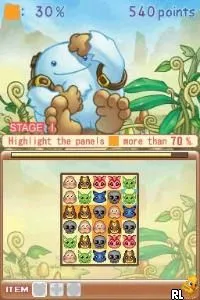
When you boot Monster Puzzle, you will likely see a title screen with a start option. Press Enter or A to begin. Many DS puzzle games offer a main menu with options like 'Play', 'Options', or 'High Scores'. Select Play to choose a game mode - single matches, endless mode, or time attack. The core loop involves touching or dragging monster-themed tiles on the touch screen to align three or more identical ones.
Use the stylus (or mouse in EmulatorJS) to tap and swap tiles. Pay attention to the next tiles coming down; chain reactions earn bonus points. If the board fills up, the game ends. Some modes add a timer or a target score to reach. Experiment with the controls on the touch screen first, as the D-Pad might be used for cursor movement but the primary input is pointing and clicking.
If you see a manual or options menu, you can adjust sound, screen layout, or difficulty. Since this is a European release, the menus should be in English. There is no deep story or tutorial - just dive into a match and learn the patterns. Practice makes perfect, especially when trying to clear entire rows or trigger cascades.
CONTROLS
Controls
- Arrow Keys: D-Pad / Movement
- X: A button
- S: B button
- Z: Y button
- A: X button
- Q: L shoulder
- E: R shoulder
- Enter: Start
- V: Select
Monster Puzzle FAQ
Is Monster Puzzle exclusive to Nintendo DS or did it appear on other systems?
The game is primarily known for its Nintendo DS release, and there is no widely documented evidence of it appearing on other systems.
Which regions was Monster Puzzle released in?
Monster Puzzle was released in Europe, and there is no information indicating a release in other regions such as Japan or the USA.
Who developed Monster Puzzle?
The developer of Monster Puzzle is not widely documented, leaving uncertainty about the team behind this title.
You may also like
All Nintendo DS games











GAME INFO
- Platform
- Nintendo DS
- Genre
- Puzzle
- Players
- 1
- Region
- Europe
COMMENTS (0)
No comments yet. Be the first to share your thoughts.