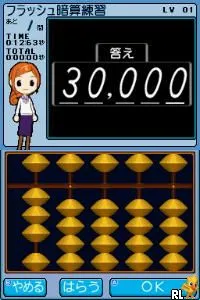
The game loads when you press Play · press “Play Now” inside the game if it asks.
Minna de Flash Anzan DS (Japan)
Minna de Flash Anzan DS
What is Minna de Flash Anzan DS?
- Nintendo DS
- Educational
- 5· 0 votes
GAME INFO
- Platform
- Nintendo DS
- Genre
- Educational
- Players
- 1
- Region
- Japan
How to play Minna de Flash Anzan DS online
To get started with Minna de Flash Anzan DS, first navigate through the main menu, which is in Japanese. Familiarize yourself with the options available, typically including modes for practice and timed challenges. Once you choose a mode, you'll be prompted to solve arithmetic problems on the touch screen.
The core loop of the game revolves around quickly solving math problems presented in various formats. Players must input their answers using the touch screen, and the game will provide feedback on correctness and speed. The challenges increase in difficulty as you progress, making it essential to practice regularly to improve your skills.
CONTROLS
Controls
- Arrow Keys — D-Pad / Movement
- X — A button
- S — B button
- Z — Y button
- A — X button
- Q — L shoulder
- E — R shoulder
- Enter — Start
- V — Select
Minna de Flash Anzan DS FAQ
Does Minna de Flash Anzan DS have a multiplayer or co-op mode?
The game does not feature any multiplayer or co-op modes. It is designed as a single-player experience focused on individual skill development.
Is Minna de Flash Anzan DS considered easy to pick up or challenging?
Most players find Minna de Flash Anzan DS easy to pick up due to its straightforward mechanics. However, the speed required for high scores can present a challenge as players advance.
Is Minna de Flash Anzan DS an official release, a fan hack, a prototype, or another kind of build?
Minna de Flash Anzan DS is an official release; it was developed specifically for the Nintendo DS platform as an educational tool.
You may also like
All Nintendo DS games











GAME INFO
- Platform
- Nintendo DS
- Genre
- Educational
- Players
- 1
- Region
- Japan
COMMENTS (0)
No comments yet. Be the first to share your thoughts.