CHOOSE A VERSION
2 versions · same consoleChoose an original release, regional version, revision, bootleg or clearly labelled ROM hack/mod, then press Play. Hacks may change the gameplay. Switching versions restarts the player.
Selected: Default · USA · En,Fr,Es · USA
The game loads when you press Play · press “Play Now” inside the game if it asks.
Midnight Play! Pack (USA) (En,Fr,Es)
Midnight Play! Pack
Midnight Play! Pack Overview
- Nintendo DS
- Arcade
- Compilation
- 5· 0 votes
GAME INFO
- Platform
- Nintendo DS
- Genre
- Arcade
- Players
- 1-2
- Region
- USA
How to play Midnight Play! Pack online
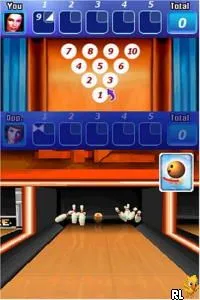
Getting started in Midnight Play! Pack involves selecting a mini-game from the main menu, where players can quickly choose their preferred challenge. The core loop revolves around completing each mini-game, earning points, and aiming for high scores. As you progress, you can revisit games to improve your performance or try new ones to keep the experience lively.
Familiarizing yourself with the controls is essential, as each game may require different skills. Pay attention to the mechanics of each mini-game, as they can vary significantly. Some may focus on speed, while others might challenge your puzzle-solving abilities. Embrace the variety, and enjoy the casual yet competitive nature of the game.
CONTROLS
Controls
- Arrow Keys — D-Pad / Movement
- X — A button
- S — B button
- Z — Y button
- A — X button
- Q — L shoulder
- E — R shoulder
- Enter — Start
- V — Select
Midnight Play! Pack FAQ
What type of game is Midnight Play! Pack?
This title consists of a collection of mini-games designed for quick play sessions, typical of casual gaming on the Nintendo DS. Players can expect a variety of challenges that test different skills across multiple game types.
Is Midnight Play! Pack considered easy to pick up or challenging?
The game is generally easy to pick up, as mini-games are designed for short bursts of play. However, some may present a challenge depending on the player's skill level and familiarity with the mechanics.
What makes Midnight Play! Pack stand out among Nintendo DS titles of its era?
Its charm lies in the diversity of mini-games, which offer a fun and engaging experience for players of all ages. While not as in-depth as larger titles, its accessibility and variety make it a notable entry in the DS library.
You may also like
All Nintendo DS games











GAME INFO
- Platform
- Nintendo DS
- Genre
- Arcade
- Players
- 1-2
- Region
- USA
COMMENTS (0)
No comments yet. Be the first to share your thoughts.