CHOOSE A VERSION
4 versions · same consoleChoose an original release, regional version, revision, bootleg or clearly labelled ROM hack/mod, then press Play. Hacks may change the gameplay. Switching versions restarts the player.
- Default · USA
- Maths Play - Have Fun with Numbers! (Europe) (En,Fr,De,Es,It,Nl,Sv,No,Da)
- Sansuu Puzzle Game - Equal Card DS (Japan)
- USA · Rev 1
Selected: Default · USA · USA
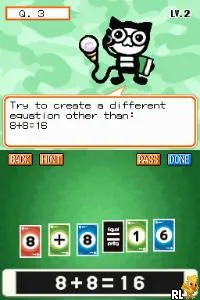
The game loads when you press Play · press “Play Now” inside the game if it asks.
Math Play (USA)
Math Play
Math Play Overview
- Nintendo DS
- Educational
- 5· 0 votes
Math Play (USA) is an educational game released for the Nintendo DS. It focuses on enhancing the player's math skills through various engaging challenges. While the specific developer is not widely documented, the game fits well within the educational genre, a category that saw a variety of titles on the DS platform, aimed at making learning fun and interactive.
In Math Play, players engage in a series of math-related puzzles and challenges designed to test and improve their arithmetic abilities. The gameplay typically involves solving problems under time constraints, which adds an element of urgency and excitement. Players are encouraged to think quickly and accurately as they progress through different levels, making it an interactive way to practice math skills.
This title is worth trying today for those interested in educational games or looking to hone their math skills in a fun environment. While it may not have the same recognition as other major Nintendo DS titles, Math Play offers a unique opportunity for players of all ages to engage with math in a playful manner. Compared to other educational games of its era, it holds a niche appeal for those who appreciate the blend of learning and gaming.
GAME INFO
- Platform
- Nintendo DS
- Genre
- Educational
- Players
- 1
- Region
- USA
How to play Math Play online
Getting started with Math Play involves selecting a game mode from the main menu. Players will typically choose a level that matches their skill or comfort with math. As they progress, they will face various math problems that they need to solve quickly to advance through the game.
The core loop revolves around answering math questions correctly and efficiently. Players must focus on accuracy and speed, as correct answers lead to higher scores and unlock further challenges. It's essential to familiarize yourself with the types of problems presented, as they can vary in difficulty, providing a gradual learning curve.
CONTROLS
Controls
- Arrow Keys — D-Pad / Movement
- X — A button
- S — B button
- Z — Y button
- A — X button
- Q — L shoulder
- E — R shoulder
- Enter — Start
- V — Select
Math Play FAQ
Which regions was Math Play released in?
Information on the specific regions for Math Play's release is not widely documented.
Does Math Play have a multiplayer or co-op mode?
Math Play does not include a multiplayer or co-op mode, focusing instead on single-player educational gameplay.
What makes Math Play stand out among Nintendo DS titles of its era?
This game is notable for its emphasis on educational content, specifically aimed at improving math skills, which was a common theme in many DS titles but remains a niche focus.
You may also like
All Nintendo DS games











GAME INFO
- Platform
- Nintendo DS
- Genre
- Educational
- Players
- 1
- Region
- USA
COMMENTS (0)
No comments yet. Be the first to share your thoughts.