CHOOSE A VERSION
2 versions · same consoleChoose an original release, regional version, revision, bootleg or clearly labelled ROM hack/mod, then press Play. Hacks may change the gameplay. Switching versions restarts the player.
Selected: Default · USA · USA
The game loads when you press Play · press “Play Now” inside the game if it asks.
Learn Chess (USA)
Learn Chess
Learn Chess Overview
- Nintendo DS
- Educational
- 5· 0 votes
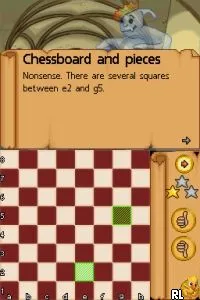
Learn Chess (USA) is an educational title released for the Nintendo DS. It aims to teach players the fundamentals of chess, making it suitable for newcomers to the game. While specific details about the developer and publisher are not widely documented, it fits into the genre of educational games, which were becoming increasingly popular on handheld platforms in the mid-2000s.
In the game, players engage in chess matches, either against the computer or potentially against others, depending on the features available. The focus is on learning chess strategies, understanding piece movements, and improving overall gameplay skills. The mechanics are designed to guide players through various levels of understanding, from basic rules to more complex strategies, appealing to both beginners and those looking to refine their skills.
Today, Learn Chess (USA) holds a niche position in the library of Nintendo DS titles. Its educational focus makes it a unique offering compared to other games in the strategy genre of its time. While it may not have the same level of excitement as action or adventure titles, it serves as a useful tool for players wanting to grasp the intricacies of chess in a more interactive way, making it worth trying for those interested in the game or looking to improve their chess skills.
GAME INFO
- Platform
- Nintendo DS
- Genre
- Educational
- Players
- 1
- Region
- USA
How to play Learn Chess online
Getting started with Learn Chess involves selecting a game mode, whether it's a tutorial or a standard match. The game typically presents a chessboard where you can move pieces according to the rules of chess. Familiarizing yourself with the controls will help you navigate the menus and make your moves efficiently.
As you play, the core loop revolves around making strategic moves and understanding the consequences of each action. The game may offer hints or tips as you progress, helping you to learn from mistakes and improve your gameplay. Engaging with the various modes will deepen your understanding of chess, making it a valuable experience for both casual and serious players.
CONTROLS
Controls
- Arrow Keys — D-Pad / Movement
- X — A button
- S — B button
- Z — Y button
- A — X button
- Q — L shoulder
- E — R shoulder
- Enter — Start
- V — Select
Learn Chess FAQ
Is Learn Chess exclusive to Nintendo DS or did it appear on other systems?
The game was developed specifically for the Nintendo DS and does not appear to have been released on other systems.
In what year was Learn Chess originally released?
The original release year for Learn Chess is not widely documented, so specific details about its launch year remain unclear.
Who developed Learn Chess?
Information about the developer of Learn Chess is not widely documented, leaving this aspect uncertain.
You may also like
All Nintendo DS games











GAME INFO
- Platform
- Nintendo DS
- Genre
- Educational
- Players
- 1
- Region
- USA
COMMENTS (0)
No comments yet. Be the first to share your thoughts.