The game loads when you press Play · press “Play Now” inside the game if it asks.
Kuukan Zukei - Hirameki Training - Kuutore (Japan)
Kuukan Zukei - Hirameki Training - Kuutore
Kuukan Zukei - Hirameki Training - Kuutore Overview
- Nintendo DS
- Educational
- 5· 0 votes
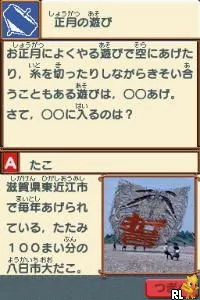
Kuukan Zukei - Hirameki Training - Kuutore is a Nintendo DS title released exclusively in Japan. This game falls within the educational genre, focusing on spatial awareness and creativity. While there's limited public information about the developers, the game is known for its unique approach to training players in geometric shapes and spatial thinking.
In the gameplay, players engage with various puzzles that require them to manipulate shapes and solve spatial challenges. The mechanics revolve around using the stylus to interact with on-screen elements, drawing and adjusting shapes to fit specific criteria. This hands-on approach is quite common for DS titles, as the platform encouraged innovative use of the touchscreen.
Today, Kuukan Zukei - Hirameki Training - Kuutore stands out for its niche appeal. While it may not be a well-known title outside Japan, it offers a unique experience for those interested in educational games. Compared to other DS titles, it embraces a distinctly Japanese approach to learning through play, making it worth exploring for retro enthusiasts or those interested in the genre's evolution.
GAME INFO
- Platform
- Nintendo DS
- Genre
- Educational
- Players
- 1
- Region
- Japan
How to play Kuukan Zukei - Hirameki Training - Kuutore online
Getting started with Kuukan Zukei - Hirameki Training - Kuutore involves navigating through its menu, which is primarily in Japanese. Players will need to familiarize themselves with the basic options to select different training modes and challenges.
The core loop consists of solving puzzles that challenge your spatial reasoning and creativity. As you progress, you'll encounter increasingly complex shapes and scenarios that require thoughtful manipulation. It's essential to pay attention to the instructions provided in the menus, as they guide you through the various training exercises available in the game.
CONTROLS
Controls
- Arrow Keys — D-Pad / Movement
- X — A button
- S — B button
- Z — Y button
- A — X button
- Q — L shoulder
- E — R shoulder
- Enter — Start
- V — Select
Kuukan Zukei - Hirameki Training - Kuutore FAQ
Is Kuukan Zukei - Hirameki Training - Kuutore considered easy to pick up or challenging?
The game is generally accessible and designed to be educational, making it easy for new players to get started. However, some puzzles may present a challenge depending on individual spatial reasoning skills.
Does Kuukan Zukei - Hirameki Training - Kuutore have a multiplayer or co-op mode?
This title does not include a multiplayer or co-op mode. It is designed as a single-player experience focused on individual training and skill development.
Is Kuukan Zukei - Hirameki Training - Kuutore exclusive to Nintendo DS or did it appear on other systems?
It is exclusive to the Nintendo DS platform and has not been released on any other systems. Its unique gameplay and educational focus are tailored specifically for the DS's capabilities.
You may also like
All Nintendo DS games











GAME INFO
- Platform
- Nintendo DS
- Genre
- Educational
- Players
- 1
- Region
- Japan
COMMENTS (0)
No comments yet. Be the first to share your thoughts.