CHOOSE A VERSION
3 versions · same consoleChoose an original release, regional version, revision, bootleg or clearly labelled ROM hack/mod, then press Play. Hacks may change the gameplay. Switching versions restarts the player.
Selected: Default · USA · USA
The game loads when you press Play · press “Play Now” inside the game if it asks.
Korg DS-10 Synthesizer (USA)
Korg DS-10 Synthesizer
About Korg DS-10 Synthesizer
- Nintendo DS
- Music
- 5· 0 votes
Korg DS-10 Synthesizer is a unique music creation tool released for the Nintendo DS in 2008. Developed by Detune, this title falls within the music genre and serves as a portable synthesizer and sequencer. It was designed to leverage the capabilities of the Nintendo DS, allowing users to create complex musical compositions on a handheld device.
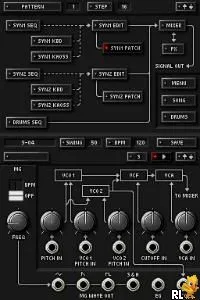
In Korg DS-10, players engage with a variety of synthesizer features, including a 16-step sequencer, virtual instruments, and effects. The game allows for real-time music creation, where you can manipulate sounds using the stylus or buttons. Players can layer tracks, adjust parameters, and experiment with different sound designs, creating anything from simple melodies to intricate soundscapes without needing extensive musical knowledge.
This title holds a special place in the Nintendo DS library due to its niche appeal and innovative approach to music production. Unlike many games of its era that focused solely on gameplay, Korg DS-10 offers a creative outlet for aspiring musicians and enthusiasts. It stands out as a DIY music tool, appealing to those interested in sound design and composition, making it a worthwhile experience for anyone curious about music creation on a handheld system.
GAME INFO
- Platform
- Nintendo DS
- Genre
- Music
- Released
- 2008
- Players
- 1
- Region
- USA
How to play Korg DS-10 Synthesizer online
Getting started with Korg DS-10 involves familiarizing yourself with the interface and the tools available for music creation. Begin by selecting a sound or instrument from the menu, then use the sequencer to create patterns. You can tap the screen or use the stylus to input notes, which will be represented visually on the grid.
As you create music, remember to experiment with different layers and effects. The core loop revolves around composing sequences, tweaking sounds, and playing back your creations. Don't hesitate to explore the various features, as the depth of the game allows for a wide range of musical styles and experimentation.
CONTROLS
Controls
- Arrow Keys — D-Pad / Movement
- X — A button
- S — B button
- Z — Y button
- A — X button
- Q — L shoulder
- E — R shoulder
- Enter — Start
- V — Select
Korg DS-10 Synthesizer FAQ
Who developed Korg DS-10 Synthesizer?
Detune is the developer behind Korg DS-10 Synthesizer, which was released for the Nintendo DS.
What type of game is Korg DS-10 Synthesizer?
This title is a music creation tool that allows players to compose and produce music using a synthesizer interface.
What makes Korg DS-10 Synthesizer stand out among Nintendo DS titles of its era?
Korg DS-10 stands out due to its unique focus on music production rather than traditional gameplay, providing a creative platform for aspiring musicians.
You may also like
All Nintendo DS games











GAME INFO
- Platform
- Nintendo DS
- Genre
- Music
- Released
- 2008
- Players
- 1
- Region
- USA
COMMENTS (0)
No comments yet. Be the first to share your thoughts.