The game loads when you press Play · press “Play Now” inside the game if it asks.
Koinu de Kururin (Japan)
Koinu de Kururin
Inside Koinu de Kururin
- Nintendo DS
- Action
- 5· 0 votes
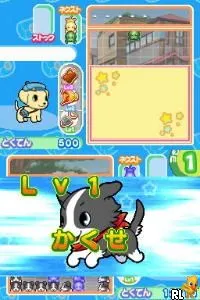
Koinu de Kururin is a Japanese exclusive title for the Nintendo DS that fits within the action genre. Released in an era when the DS was gaining popularity, this game showcases the platform's capabilities with its unique gameplay mechanics. While detailed information about the developer is not widely documented, the game stands out due to its distinctive premise and engaging mechanics.
In Koinu de Kururin, players take control of a small dog navigating through various levels filled with obstacles and challenges. The gameplay revolves around guiding the dog through intricate mazes, avoiding hazards while collecting items. The core mechanics focus on movement and timing, demanding a good sense of spatial awareness as players maneuver through each stage.
This title is worth trying for those who appreciate unique and lesser-known games from the DS library. While it may not have the broad appeal of more popular titles, Koinu de Kururin offers a charming experience that reflects the creativity of its era. Fans of puzzle and action games may find enjoyment in its simple yet engaging gameplay mechanics, making it a quaint addition to any retro gaming collection.
GAME INFO
- Platform
- Nintendo DS
- Genre
- Action
- Region
- Japan
How to play Koinu de Kururin online
To get started with Koinu de Kururin, first familiarize yourself with the controls outlined above. As this title is in Japanese, navigation through the menus may require some trial and error if you are not fluent. Begin by selecting a game mode, and once in the game, focus on understanding how to move the character through the levels.
The core gameplay loop involves guiding your small dog through various mazes while avoiding obstacles and collecting items. Pay attention to your surroundings and plan your movements carefully, as timing will be crucial. As you progress through the levels, you'll encounter different challenges that require quick thinking and adaptability, keeping the experience fresh and engaging.
CONTROLS
Controls
- Arrow Keys — D-Pad / Movement
- X — A button
- S — B button
- Z — Y button
- A — X button
- Q — L shoulder
- E — R shoulder
- Enter — Start
- V — Select
Koinu de Kururin FAQ
Is Koinu de Kururin exclusive to Nintendo DS or did it appear on other systems?
The game is exclusive to the Nintendo DS and did not receive releases on other platforms.
In what year was Koinu de Kururin originally released?
The specific release year is not widely documented, making it difficult to confirm.
Can players save progress in Koinu de Kururin?
Details regarding save functionality are not well-documented, so it's unclear if the game allows players to save their progress.
You may also like
All Nintendo DS games











GAME INFO
- Platform
- Nintendo DS
- Genre
- Action
- Region
- Japan
COMMENTS (0)
No comments yet. Be the first to share your thoughts.