The game loads when you press Play · press “Play Now” inside the game if it asks.
Kimi no Yuusha (Japan)
Kimi no Yuusha
Kimi no Yuusha - RPG Classic
- Nintendo DS
- RPG
- 5· 0 votes
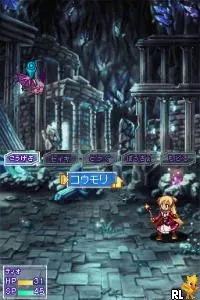
Kimi no Yuusha is a Japanese role-playing game released on the Nintendo DS. Known for its unique premise, it was developed for a niche audience and showcases the charm of early 2000s handheld gaming. The game is notable for its RPG elements, which were popular during that era, making it a representative title of its time.
In Kimi no Yuusha, players engage in turn-based combat, exploring various environments and interacting with characters. The gameplay typically involves leveling up characters, managing resources, and completing quests. While specific mechanics and story elements are less documented, the game follows traditional RPG conventions, allowing players to experience character growth and strategic battles.
This title may not be as widely recognized as other RPGs from the period, but it offers a nostalgic experience for fans of the genre. Its simplicity and focus on classic RPG mechanics provide a charming throwback for players who appreciate retro gaming. While it may not compete with blockbuster titles, Kimi no Yuusha holds its own for those looking to explore lesser-known gems from the Nintendo DS library.
GAME INFO
- Platform
- Nintendo DS
- Genre
- RPG
- Players
- 1
- Region
- Japan
How to play Kimi no Yuusha online
Getting started with Kimi no Yuusha involves familiarizing yourself with the Japanese menus, as the game is only available in that language. Begin by navigating through the initial screens to set up your game. Once you're in, you'll typically engage with NPCs and embark on quests that advance the storyline.
The core gameplay loop involves exploring different areas, fighting enemies in turn-based battles, and leveling up your characters. Pay attention to the resources you collect, as they will help you in combat and character progression. While the game may present challenges due to its language barrier, those familiar with RPG mechanics should find it enjoyable.
CONTROLS
Controls
- Arrow Keys — D-Pad / Movement
- X — A button
- S — B button
- Z — Y button
- A — X button
- Q — L shoulder
- E — R shoulder
- Enter — Start
- V — Select
Kimi no Yuusha FAQ
Roughly how long does it take to finish Kimi no Yuusha?
The game typically takes around 10 to 20 hours to complete, depending on the player's exploration and engagement with side quests.
Is there anything iconic or memorable about Kimi no Yuusha?
The game is recognized for its classic RPG mechanics and its charm, though it lacks the widespread acclaim of more popular titles.
Does Kimi no Yuusha have a multiplayer or co-op mode?
There is no multiplayer or co-op mode in Kimi no Yuusha, as it is designed as a single-player experience.
You may also like
All Nintendo DS games











GAME INFO
- Platform
- Nintendo DS
- Genre
- RPG
- Players
- 1
- Region
- Japan
COMMENTS (0)
No comments yet. Be the first to share your thoughts.