CHOOSE A VERSION
2 versions · same consoleChoose an original release, regional version, revision, bootleg or clearly labelled ROM hack/mod, then press Play. Hacks may change the gameplay. Switching versions restarts the player.
Selected: Default · Japan · Japan
The game loads when you press Play · press “Play Now” inside the game if it asks.
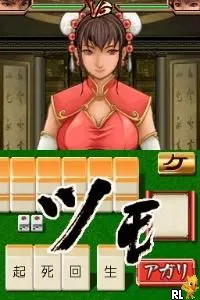
Kanji no Wataridori (Japan)
Kanji no Wataridori
Getting to Know Kanji no Wataridori
- Nintendo DS
- Educational
- 5· 0 votes
GAME INFO
- Platform
- Nintendo DS
- Genre
- Educational
- Players
- 1
- Region
- Japan
How to play Kanji no Wataridori online
CONTROLS
Controls
- Arrow Keys — D-Pad / Movement
- X — A button
- S — B button
- Z — Y button
- A — X button
- Q — L shoulder
- E — R shoulder
- Enter — Start
- V — Select
Kanji no Wataridori FAQ
Is Kanji no Wataridori considered easy to pick up or challenging?
Difficulty can vary based on the player's prior knowledge of kanji. For those new to the characters, it may present a challenge, while more experienced players might find it easier to engage with the material.
What type of game is Kanji no Wataridori?
This title is primarily an educational game focused on teaching kanji characters through interactive challenges. It combines gameplay with learning to create an engaging experience for users.
Is Kanji no Wataridori exclusive to Nintendo DS or did it appear on other systems?
There is no widely documented evidence of Kanji no Wataridori being available on systems other than the Nintendo DS. It appears to be a title specifically designed for that platform.
You may also like
All Nintendo DS games











GAME INFO
- Platform
- Nintendo DS
- Genre
- Educational
- Players
- 1
- Region
- Japan
COMMENTS (0)
No comments yet. Be the first to share your thoughts.