The game loads when you press Play · press “Play Now” inside the game if it asks.
Kaijuu Busters (Japan)
Kaijuu Busters
Kaijuu Busters on NDS
- Nintendo DS
- Action
- 5· 0 votes
Kaijuu Busters is a Japanese action game released for the Nintendo DS. It was developed during the platform's prime in the mid-2000s, a period known for its innovative gameplay experiences. The game fits within the action genre, which was popular at the time, but specific details about its development team are not widely documented.
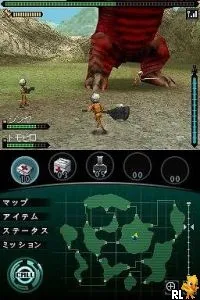
In Kaijuu Busters, players engage in battles against giant monsters, a common theme in many action games of the era. The gameplay typically revolves around combat mechanics, where players must strategize and utilize various abilities to defeat their foes. The game structure often involves completing missions or quests that require defeating specific kaijuu, which adds a layer of challenge and progression.
This title is worth exploring for fans of retro gaming, especially those who appreciate lesser-known gems. While it may not have the same recognition as some blockbuster titles from the DS library, it offers a unique experience that reflects the genre conventions of its time. Kaijuu Busters serves as a reminder of the creativity found in action games during the Nintendo DS era, making it a notable addition for collectors and enthusiasts alike.
GAME INFO
- Platform
- Nintendo DS
- Genre
- Action
- Region
- Japan
How to play Kaijuu Busters online
Getting started in Kaijuu Busters involves navigating through the main menu, which is primarily in Japanese. Players will need to familiarize themselves with the different options available, such as starting a new game or accessing settings. Once in-game, the primary loop consists of accepting missions, battling kaijuu, and upgrading abilities or equipment.
As you progress, focus on mastering combat mechanics, which often include dodging attacks and timing your strikes effectively. Understanding the strengths and weaknesses of each kaijuu you encounter is crucial for success. Since the game is in Japanese, players may want to keep a translation tool handy or look for guides to help with navigation and mission objectives.
CONTROLS
Controls
- Arrow Keys — D-Pad / Movement
- X — A button
- S — B button
- Z — Y button
- A — X button
- Q — L shoulder
- E — R shoulder
- Enter — Start
- V — Select
Kaijuu Busters FAQ
What type of game is Kaijuu Busters?
An action game that involves battling giant monsters, typical of the genre's conventions during the Nintendo DS era.
Which regions was Kaijuu Busters released in?
This title was released exclusively in Japan, and there are no known international versions.
Is there anything iconic or memorable about Kaijuu Busters?
The game is known for its unique premise of kaijuu battles, reflecting the popularity of monster-themed games during its release period.
You may also like
All Nintendo DS games











GAME INFO
- Platform
- Nintendo DS
- Genre
- Action
- Region
- Japan
COMMENTS (0)
No comments yet. Be the first to share your thoughts.