The game loads when you press Play · press “Play Now” inside the game if it asks.
Itouke no Urawaza DS (Japan)
Itouke no Urawaza DS
Itouke no Urawaza DS - Educational Classic
- Nintendo DS
- Educational
- 5· 0 votes
GAME INFO
- Platform
- Nintendo DS
- Genre
- Educational
- Region
- Japan
How to play Itouke no Urawaza DS online
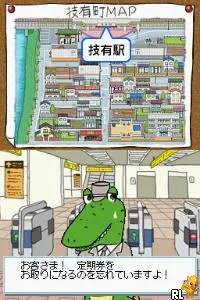
Getting started with Itouke no Urawaza DS involves selecting a mini-game from the main menu. Since this title is in Japanese, navigating the menus may require some familiarity with the language or assistance from a translation tool. Once you choose a mini-game, the objective will typically revolve around completing educational tasks that help improve your skills.
The core loop of Itouke no Urawaza DS consists of engaging in these mini-games, earning points, and progressing through various levels of difficulty. Players should pay attention to the instructions provided at the beginning of each game, as they will guide you on what actions to take. As you advance, you'll encounter increasingly complex challenges that require critical thinking and quick reflexes.
CONTROLS
Controls
- Arrow Keys — D-Pad / Movement
- X — A button
- S — B button
- Z — Y button
- A — X button
- Q — L shoulder
- E — R shoulder
- Enter — Start
- V — Select
Itouke no Urawaza DS FAQ
Who developed Itouke no Urawaza DS?
The specific development team behind Itouke no Urawaza DS is not widely documented. However, it is associated with the Itouke franchise, which focuses on educational content.
Roughly how long does it take to finish Itouke no Urawaza DS?
The time it takes to complete Itouke no Urawaza DS can vary significantly based on the player's familiarity with the mini-games. Generally, players might spend several hours engaging with the various educational tasks.
What makes Itouke no Urawaza DS stand out among Nintendo DS titles of its era?
Itouke no Urawaza DS stands out for its focus on education through interactive mini-games. While it may not compete with mainstream titles in terms of popularity, its unique approach to learning provides an interesting alternative for players interested in educational games.
You may also like
All Nintendo DS games











GAME INFO
- Platform
- Nintendo DS
- Genre
- Educational
- Region
- Japan
COMMENTS (0)
No comments yet. Be the first to share your thoughts.