CHOOSE A VERSION
2 versions · same consoleChoose an original release, regional version, revision, bootleg or clearly labelled ROM hack/mod, then press Play. Hacks may change the gameplay. Switching versions restarts the player.
Selected: Default · USA · En,Fr,Es · USA
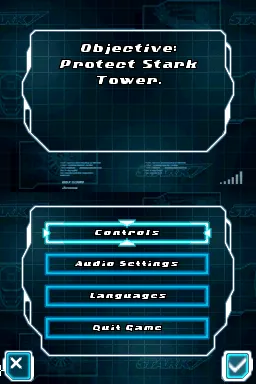
The game loads when you press Play · press “Play Now” inside the game if it asks.
Iron Man 2 (USA) (En,Fr,Es)
Iron Man 2
Iron Man 2 - Action Classic
- Nintendo DS
- Action
- 5· 0 votes
GAME INFO
- Platform
- Nintendo DS
- Genre
- Action
- Developer
- Sega Studios San Francisco
- Released
- 2010
- Players
- 1
- Region
- USA
More Iron Man Games
Ready for another round? Explore more Iron Man games and console editions. Choose a game below to play it on its own page.
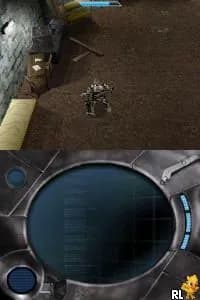
How to play Iron Man 2 online
To start playing Iron Man 2, select the game from your emulator and press Start. You'll be introduced to the game's main menu where you can choose to start a new game or continue an existing one. The first few missions will serve as tutorials, guiding you through basic controls and mechanics.
As you progress, focus on mastering Iron Man's flying and combat abilities. The core loop involves completing missions, defeating enemies, and upgrading your suit. Pay attention to the objectives presented at the start of each mission, and don't hesitate to replay earlier levels to gather upgrades and improve your performance.
CONTROLS
Controls
- Arrow Keys — D-Pad / Movement
- X — A button
- S — B button
- Z — Y button
- A — X button
- Q — L shoulder
- E — R shoulder
- Enter — Start
- V — Select
Iron Man 2 FAQ
Is there anything iconic or memorable about Iron Man 2?
The game features recognizable elements from the Iron Man franchise, including iconic suits and a mix of action and flight gameplay. While it may not stand out in the broader gaming landscape, fans of the series may find nostalgic value in its design.
Is Iron Man 2 exclusive to Nintendo DS or did it appear on other systems?
Iron Man 2 was released on multiple platforms, including the PlayStation 3, Xbox 360, and Wii, in addition to the Nintendo DS. Each version varies in gameplay mechanics and graphics, catering to the strengths of its respective system.
Is Iron Man 2 considered easy to pick up or challenging?
The game is generally seen as easy to pick up, especially for fans of the genre. Its straightforward controls and mission structure make it accessible, though some players may find certain boss battles challenging as they progress.
You may also like
All Nintendo DS games











GAME INFO
- Platform
- Nintendo DS
- Genre
- Action
- Developer
- Sega Studios San Francisco
- Released
- 2010
- Players
- 1
- Region
- USA
COMMENTS (0)
No comments yet. Be the first to share your thoughts.