CHOOSE A VERSION
2 versions · same consoleChoose an original release, regional version, revision, bootleg or clearly labelled ROM hack/mod, then press Play. Hacks may change the gameplay. Switching versions restarts the player.
Selected: Default · Europe · En,Fr,De,Es,It · Europe
The game loads when you press Play · press “Play Now” inside the game if it asks.
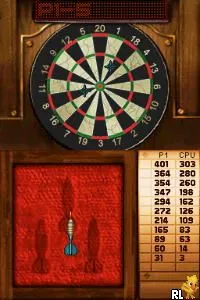
Indoor Sports Club (Europe) (En,Fr,De,Es,It)
Indoor Sports Club
Getting to Know Indoor Sports Club
- Nintendo DS
- Sports
- 5· 0 votes
GAME INFO
- Platform
- Nintendo DS
- Genre
- Sports
- Region
- Europe
How to play Indoor Sports Club online
To get started, choose a sport from the main menu. Each sport has its own set of rules and objectives, so take a moment to familiarize yourself with what you need to do. After selecting a sport, you will usually go through a brief tutorial that outlines the controls and gameplay mechanics.
The core loop involves competing in various challenges or matches to improve your skills and earn points. As you progress, you might unlock new sports or features. Pay attention to the timing and controls, as mastering these will enhance your performance in each event.
CONTROLS
Controls
- Arrow Keys — D-Pad / Movement
- X — A button
- S — B button
- Z — Y button
- A — X button
- Q — L shoulder
- E — R shoulder
- Enter — Start
- V — Select
Indoor Sports Club FAQ
Who developed Indoor Sports Club?
Information about the specific developer of Indoor Sports Club is not widely documented.
Is there anything iconic or memorable about Indoor Sports Club?
The game is notable for its multilingual support, allowing players from various regions to enjoy it in their language. However, it does not have standout features that have made it iconic in the broader gaming community.
Is Indoor Sports Club exclusive to Nintendo DS or did it appear on other systems?
Indoor Sports Club is primarily recognized as a Nintendo DS title, with no confirmed releases on other systems.
You may also like
All Nintendo DS games











GAME INFO
- Platform
- Nintendo DS
- Genre
- Sports
- Region
- Europe
COMMENTS (0)
No comments yet. Be the first to share your thoughts.