CHOOSE A VERSION
3 versions · same consoleChoose an original release, regional version, revision, bootleg or clearly labelled ROM hack/mod, then press Play. Hacks may change the gameplay. Switching versions restarts the player.
Selected: Default · USA · USA
The game loads when you press Play · press “Play Now” inside the game if it asks.
I Spy Fun House (USA)
I Spy Fun House
I Spy Fun House Overview
- Nintendo DS
- Educational
- 5· 0 votes
GAME INFO
- Platform
- Nintendo DS
- Genre
- Educational
- Players
- 1
- Region
- USA
How to play I Spy Fun House online
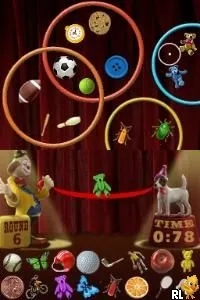
Getting started with I Spy Fun House involves selecting a game mode and diving into the colorful environments. Players will navigate through various rooms in the funhouse, each filled with hidden objects to find. The core loop revolves around searching for items listed on your mission, which requires keen observation and often some clever thinking to locate everything efficiently.
CONTROLS
Controls
- Arrow Keys — D-Pad / Movement
- X — A button
- S — B button
- Z — Y button
- A — X button
- Q — L shoulder
- E — R shoulder
- Enter — Start
- V — Select
I Spy Fun House FAQ
Is I Spy Fun House exclusive to Nintendo DS or did it appear on other systems?
This title was developed specifically for the Nintendo DS and did not appear on other systems.
In what year was I Spy Fun House originally released?
The release year for I Spy Fun House is not widely documented, but it is known to have come out in the mid-2000s.
Does I Spy Fun House have a multiplayer or co-op mode?
I Spy Fun House does not feature a multiplayer or co-op mode, focusing on single-player gameplay instead.
You may also like
All Nintendo DS games











GAME INFO
- Platform
- Nintendo DS
- Genre
- Educational
- Players
- 1
- Region
- USA
COMMENTS (0)
No comments yet. Be the first to share your thoughts.