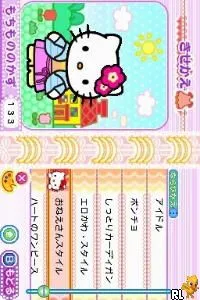
The game loads when you press Play · press “Play Now” inside the game if it asks.
Hello Kitty no Oshare Party - Sanrio Character Zukan DS (Japan)
Hello Kitty no Oshare Party - Sanrio Character Zukan DS
Hello Kitty no Oshare Party - Sanrio Character Zukan DS - Simulation Classic
- Nintendo DS
- Simulation
- 5· 0 votes
GAME INFO
- Platform
- Nintendo DS
- Genre
- Simulation
- Players
- 1
- Region
- Japan
How to play Hello Kitty no Oshare Party - Sanrio Character Zukan DS online
Getting started with Hello Kitty no Oshare Party involves navigating through the main menu, which is in Japanese. While this may pose a challenge for non-Japanese speakers, players can usually find options for starting mini-games or customizing their characters fairly intuitively. The core gameplay loop involves selecting a mini-game, completing it, and earning points or items that can be used for character customization.
CONTROLS
Controls
- Arrow Keys — D-Pad / Movement
- X — A button
- S — B button
- Z — Y button
- A — X button
- Q — L shoulder
- E — R shoulder
- Enter — Start
- V — Select
Hello Kitty no Oshare Party - Sanrio Character Zukan DS FAQ
Who developed Hello Kitty no Oshare Party - Sanrio Character Zukan DS?
The game was developed by Sanrio, a company known for creating the Hello Kitty franchise and other related characters.
Roughly how long does it take to finish Hello Kitty no Oshare Party - Sanrio Character Zukan DS?
The time to complete the game varies depending on how many mini-games you choose to play, but it generally offers a casual experience that can be enjoyed over multiple sessions.
Is Hello Kitty no Oshare Party - Sanrio Character Zukan DS exclusive to Nintendo DS or did it appear on other systems?
This title is primarily available on the Nintendo DS and has not been released on other systems, making it a unique entry for that platform.
You may also like
All Nintendo DS games











GAME INFO
- Platform
- Nintendo DS
- Genre
- Simulation
- Players
- 1
- Region
- Japan
COMMENTS (0)
No comments yet. Be the first to share your thoughts.