CHOOSE A VERSION
3 versions · same consoleChoose an original release, regional version, revision, bootleg or clearly labelled ROM hack/mod, then press Play. Hacks may change the gameplay. Switching versions restarts the player.
- Default · USA
- Tank Beat 2 - Gekitotsu! Duits-gun vs. Rengougun (Japan)
- Tank Beat 2 - Gyeokdol! Jeoncha Daejeon (Korea)
Selected: Default · USA · USA
The game loads when you press Play · press “Play Now” inside the game if it asks.
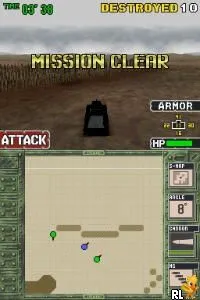
Heavy Armor Brigade (USA)
Heavy Armor Brigade
About Heavy Armor Brigade
- Nintendo DS
- Action
- 5· 0 votes
GAME INFO
- Platform
- Nintendo DS
- Genre
- Action
- Players
- 1
- Region
- USA
How to play Heavy Armor Brigade online
CONTROLS
Controls
- Arrow Keys — D-Pad / Movement
- X — A button
- S — B button
- Z — Y button
- A — X button
- Q — L shoulder
- E — R shoulder
- Enter — Start
- V — Select
Heavy Armor Brigade FAQ
Does Heavy Armor Brigade have a multiplayer or co-op mode?
There is no widely documented multiplayer or co-op mode for Heavy Armor Brigade, as it focuses primarily on single-player gameplay.
Can players save progress in Heavy Armor Brigade?
The game allows players to save their progress, enabling them to return to their missions without losing their advancements.
Is Heavy Armor Brigade considered easy to pick up or challenging?
The game is generally considered to have a moderate learning curve, combining strategic elements that may challenge new players while still being accessible for those familiar with action games.
You may also like
All Nintendo DS games











GAME INFO
- Platform
- Nintendo DS
- Genre
- Action
- Players
- 1
- Region
- USA
COMMENTS (0)
No comments yet. Be the first to share your thoughts.