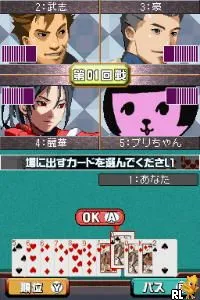
The game loads when you press Play · press “Play Now” inside the game if it asks.
Hayate no Gotoku! - Ojousama Produce Daisakusen - Boku Iro ni Somare! - Gakkou Hen (Japan)
Hayate no Gotoku! - Ojousama Produce Daisakusen - Boku Iro ni Somare! - Gakkou Hen
About Hayate no Gotoku! - Ojousama Produce Daisakusen - Boku Iro ni Somare! - Gakkou Hen
- Nintendo DS
- Simulation
- 5· 0 votes
GAME INFO
- Platform
- Nintendo DS
- Genre
- Simulation
- Region
- Japan
How to play Hayate no Gotoku! - Ojousama Produce Daisakusen - Boku Iro ni Somare! - Gakkou Hen online
To get started, begin by selecting a new game from the main menu, which will be in Japanese. Familiarize yourself with the controls as you navigate through the introductory dialogue. The core loop involves interacting with characters, making choices that affect relationships, and progressing through various scenarios.
CONTROLS
Controls
- Arrow Keys — D-Pad / Movement
- X — A button
- S — B button
- Z — Y button
- A — X button
- Q — L shoulder
- E — R shoulder
- Enter — Start
- V — Select
Hayate no Gotoku! - Ojousama Produce Daisakusen - Boku Iro ni Somare! - Gakkou Hen FAQ
Who developed Hayate no Gotoku! - Ojousama Produce Daisakusen - Boku Iro ni Somare! - Gakkou Hen?
The developer of this title is not widely documented, but it is associated with the Hayate no Gotoku! franchise.
In what year was Hayate no Gotoku! - Ojousama Produce Daisakusen - Boku Iro ni Somare! - Gakkou Hen originally released?
The exact release year is not widely documented, making it difficult to provide a specific date.
Is Hayate no Gotoku! - Ojousama Produce Daisakusen - Boku Iro ni Somare! - Gakkou Hen considered easy to pick up or challenging?
This game is generally considered accessible for players familiar with simulation titles, but the language barrier may pose a challenge for those not proficient in Japanese.
You may also like
All Nintendo DS games











GAME INFO
- Platform
- Nintendo DS
- Genre
- Simulation
- Region
- Japan
COMMENTS (0)
No comments yet. Be the first to share your thoughts.