The game loads when you press Play · press “Play Now” inside the game if it asks.
GripsKids - Mathematik (Europe) (En,Fr,De,It)
GripsKids - Mathematik
Getting to Know GripsKids - Mathematik
- Nintendo DS
- Educational
- 5· 0 votes
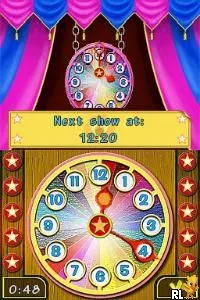
GripsKids - Mathematik is an educational game designed for the Nintendo DS, released in Europe. This title offers a multilingual experience, supporting English, French, German, and Italian. While specific details about the development team or publisher are not widely documented, it falls within the educational genre, aiming to make learning mathematics engaging for younger audiences.
In GripsKids - Mathematik, players engage with various mathematical challenges tailored for children. The gameplay revolves around solving problems and completing tasks that reinforce basic math skills. The game likely employs a mixture of puzzles and quizzes to keep the experience interactive, allowing players to progress through different levels as they improve their abilities.
This title holds a unique place in the library of educational games available on the Nintendo DS. It may appeal to parents looking for fun ways to enhance their children's math skills, although it might not be as widely recognized as other mainstream titles. If you're interested in educational gaming or want to explore lesser-known titles, GripsKids - Mathematik could be worth a try, especially given its multilingual support.
GAME INFO
- Platform
- Nintendo DS
- Genre
- Educational
- Players
- 1
- Region
- Europe
How to play GripsKids - Mathematik online
Getting started with GripsKids - Mathematik is straightforward. Begin by selecting your preferred language from the available options. The game presents a series of mathematical challenges that players can tackle, designed to improve their skills in a fun and engaging way.
As you progress through the game, you'll encounter various puzzles that require you to apply different math concepts. Pay attention to the instructions and prompts, as they guide you through the challenges. The core loop involves solving problems and advancing through levels, making it essential to engage with the math exercises actively.
CONTROLS
Controls
- Arrow Keys — D-Pad / Movement
- X — A button
- S — B button
- Z — Y button
- A — X button
- Q — L shoulder
- E — R shoulder
- Enter — Start
- V — Select
GripsKids - Mathematik FAQ
Is there anything iconic or memorable about GripsKids - Mathematik?
The game is notable for its multilingual support, allowing players to learn math in several languages. This feature makes it unique in the educational gaming space for the Nintendo DS.
Is GripsKids - Mathematik exclusive to Nintendo DS or did it appear on other systems?
This title appears to be exclusive to the Nintendo DS platform, with no widely documented releases on other systems.
What type of game is GripsKids - Mathematik?
GripsKids - Mathematik is classified as an educational game, focusing on teaching mathematics through interactive challenges and puzzles designed for younger players.
You may also like
All Nintendo DS games











GAME INFO
- Platform
- Nintendo DS
- Genre
- Educational
- Players
- 1
- Region
- Europe
COMMENTS (0)
No comments yet. Be the first to share your thoughts.