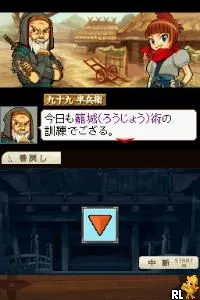
The game loads when you press Play · press “Play Now” inside the game if it asks.
Fuuun! Dairoujou (Japan)
Fuuun! Dairoujou
About Fuuun! Dairoujou
- Nintendo DS
- Action
- 5· 0 votes
GAME INFO
- Platform
- Nintendo DS
- Genre
- Action
- Region
- Japan
How to play Fuuun! Dairoujou online
Getting started in Fuuun! Dairoujou involves selecting your character and understanding their abilities. The primary gameplay loop consists of engaging in battles where you will need to utilize both offensive and defensive strategies. As this is a Japanese-only title, navigating the menus might require some familiarity with basic Japanese, though the gameplay itself can be intuitive once you get the hang of it.
As you dive into the game, focus on learning each character's strengths and weaknesses. Experimenting with different character combinations can open up new strategies and make battles more enjoyable. Don't hesitate to replay earlier stages to refine your skills or try different characters to see how they change the gameplay experience.
CONTROLS
Controls
- Arrow Keys — D-Pad / Movement
- X — A button
- S — B button
- Z — Y button
- A — X button
- Q — L shoulder
- E — R shoulder
- Enter — Start
- V — Select
Fuuun! Dairoujou FAQ
Is Fuuun! Dairoujou exclusive to Nintendo DS or did it appear on other systems?
The game is exclusive to the Nintendo DS and did not have releases on other platforms.
Does Fuuun! Dairoujou have a multiplayer or co-op mode?
Details about multiplayer or co-op modes are not widely documented, suggesting that the game primarily focuses on single-player experiences.
Who developed Fuuun! Dairoujou?
The information regarding the developer of Fuuun! Dairoujou is not widely documented, leaving its origins somewhat unclear.
You may also like
All Nintendo DS games











GAME INFO
- Platform
- Nintendo DS
- Genre
- Action
- Region
- Japan
COMMENTS (0)
No comments yet. Be the first to share your thoughts.