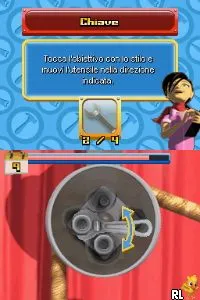
The game loads when you press Play · press “Play Now” inside the game if it asks.
Fix It (Europe) (En,Fr,De,Es,It,Nl)
Fix It
About Fix It
- Nintendo DS
- Puzzle
- 5· 0 votes
GAME INFO
- Platform
- Nintendo DS
- Genre
- Puzzle
- Players
- 1
- Region
- Europe
How to play Fix It online
To start playing Fix It, you’ll first navigate through the initial menus to select your game mode. The objective is to complete various puzzles that challenge your ability to fix items within a limited timeframe. Familiarizing yourself with the controls will help you respond quickly during gameplay, as time management is crucial for success.
The core loop involves quickly identifying what needs fixing and executing the necessary actions to complete the task. As you progress, the puzzles may become more complex, requiring both speed and strategy. Keep an eye on the timer and aim to complete as many tasks as possible to achieve high scores.
CONTROLS
Controls
- Arrow Keys — D-Pad / Movement
- X — A button
- S — B button
- Z — Y button
- A — X button
- Q — L shoulder
- E — R shoulder
- Enter — Start
- V — Select
Fix It FAQ
Who developed Fix It?
The developer of Fix It is not widely documented, which makes it difficult to attribute the game to a specific studio.
Does Fix It have a multiplayer or co-op mode?
This game does not feature a multiplayer or co-op mode, focusing instead on single-player puzzle challenges.
Is Fix It exclusive to Nintendo DS or did it appear on other systems?
Fix It is primarily known as a Nintendo DS title, and there is no widely available information indicating that it was released on other systems.
You may also like
All Nintendo DS games











GAME INFO
- Platform
- Nintendo DS
- Genre
- Puzzle
- Players
- 1
- Region
- Europe
COMMENTS (0)
No comments yet. Be the first to share your thoughts.