CHOOSE A VERSION
2 versions · same consoleChoose an original release, regional version, revision, bootleg or clearly labelled ROM hack/mod, then press Play. Hacks may change the gameplay. Switching versions restarts the player.
Selected: Default · Europe · En,Fr,De,Es,It · Europe
The game loads when you press Play · press “Play Now” inside the game if it asks.
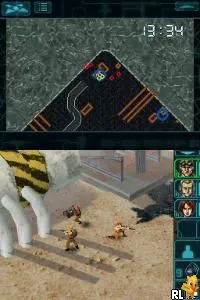
Elite Forces - Unit 77 (Europe) (En,Fr,De,Es,It)
Elite Forces - Unit 77
About Elite Forces - Unit 77
- Nintendo DS
- Action
- 5· 0 votes
GAME INFO
- Platform
- Nintendo DS
- Genre
- Action
- Players
- 1
- Region
- Europe
How to play Elite Forces - Unit 77 online
CONTROLS
Controls
- Arrow Keys — D-Pad / Movement
- X — A button
- S — B button
- Z — Y button
- A — X button
- Q — L shoulder
- E — R shoulder
- Enter — Start
- V — Select
Elite Forces - Unit 77 FAQ
What makes Elite Forces - Unit 77 stand out among Nintendo DS titles of its era?
The game features tactical gameplay that requires players to think strategically while engaging in combat. Its support for multiple languages also makes it accessible to a wider audience, which is somewhat unique for its time.
Does Elite Forces - Unit 77 have a multiplayer or co-op mode?
There is no widely documented multiplayer or co-op mode in Elite Forces - Unit 77. The gameplay is primarily designed for a single-player experience, focusing on mission-based objectives.
Who developed Elite Forces - Unit 77?
Information about the development team behind Elite Forces - Unit 77 is not widely documented. As such, specific details on the developer remain unclear.
You may also like
All Nintendo DS games











GAME INFO
- Platform
- Nintendo DS
- Genre
- Action
- Players
- 1
- Region
- Europe
COMMENTS (0)
No comments yet. Be the first to share your thoughts.