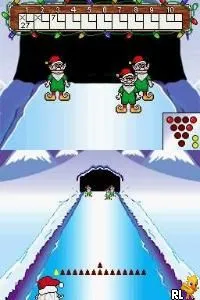
The game loads when you press Play · press “Play Now” inside the game if it asks.
Elf Bowling 1 & 2 (USA)
Elf Bowling 1 & 2
Elf Bowling 1 & 2 - Sports Classic
- Nintendo DS
- Sports
- 5· 0 votes
GAME INFO
- Platform
- Nintendo DS
- Genre
- Sports
- Players
- 1-2
- Region
- USA
How to play Elf Bowling 1 & 2 online
Getting started in Elf Bowling 1 & 2 is quite simple. Upon launching the game, you’ll be greeted with a straightforward menu. Select your game mode and begin your first bowling match against the elves. The core gameplay loop involves aiming and throwing the bowling ball to knock down as many elves as possible while scoring points.
As you play, keep an eye out for power-ups that can influence your throws. Timing your releases and adjusting your angle will be crucial for success. Since the game is designed for quick play sessions, it’s ideal for picking up and enjoying during short breaks or casual gaming moments.
CONTROLS
Controls
- Arrow Keys — D-Pad / Movement
- X — A button
- S — B button
- Z — Y button
- A — X button
- Q — L shoulder
- E — R shoulder
- Enter — Start
- V — Select
Elf Bowling 1 & 2 FAQ
Which regions was Elf Bowling 1 & 2 released in?
The game was primarily released in the USA, making it accessible to a North American audience. Specific details about other regional releases are not widely documented.
Can players save progress in Elf Bowling 1 & 2?
There is no clear indication that the game allows for saving progress. Players typically engage in quick matches rather than a lengthy campaign, so saving is less of a concern.
Roughly how long does it take to finish Elf Bowling 1 & 2?
The game is designed for short play sessions, and each bowling match can be completed in just a few minutes. Overall, players can enjoy it for as long as they like, but it doesn’t have a definitive finish time.
You may also like
All Nintendo DS games











GAME INFO
- Platform
- Nintendo DS
- Genre
- Sports
- Players
- 1-2
- Region
- USA
COMMENTS (0)
No comments yet. Be the first to share your thoughts.