The game loads when you press Play · press “Play Now” inside the game if it asks.
DS Bungaku Zenshuu (Japan)
DS Bungaku Zenshuu
About DS Bungaku Zenshuu
- Nintendo DS
- Educational
- 5· 0 votes
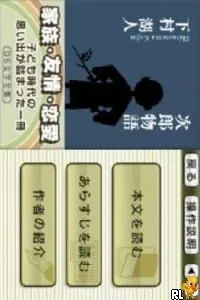
DS Bungaku Zenshuu is a Japanese title released for the Nintendo DS, focusing on literature and educational content. This game falls into the educational genre, aiming to provide players with insights into classic literature. The exact developer and release details are not widely documented, but it is well-known among fans of niche titles on the platform.
In this game, players engage with various literary works, likely involving reading passages and answering questions or solving puzzles related to the texts. The gameplay structure emphasizes understanding and interacting with classic literature, which may involve quizzes or interactive storytelling elements. As an educational title, it encourages players to think critically about the material presented.
What makes DS Bungaku Zenshuu worth exploring today is its unique focus on literature, a somewhat rare niche in the gaming landscape of the Nintendo DS. While it may not have the mainstream appeal of action or adventure games from that era, its educational value stands out. For those interested in literature or looking for a different gaming experience, this title offers a distinct approach that contrasts with more typical offerings on the platform.
GAME INFO
- Platform
- Nintendo DS
- Genre
- Educational
- Players
- 1
- Region
- Japan
How to play DS Bungaku Zenshuu online
Getting started with DS Bungaku Zenshuu involves navigating through the menu, which is entirely in Japanese. Familiarizing yourself with the controls will help you select options more easily. Players typically begin by choosing a literary work to explore, which may lead to quizzes or interactive segments.
The core gameplay loop focuses on reading and comprehension, with players likely needing to answer questions or engage with the text in some capacity. Understanding the material is crucial for progressing through the game. It's worth noting that players should be prepared for a learning curve due to the language barrier, but this adds to the challenge and charm of the experience.
CONTROLS
Controls
- Arrow Keys — D-Pad / Movement
- X — A button
- S — B button
- Z — Y button
- A — X button
- Q — L shoulder
- E — R shoulder
- Enter — Start
- V — Select
DS Bungaku Zenshuu FAQ
Who developed DS Bungaku Zenshuu?
The specific developer of DS Bungaku Zenshuu is not widely documented, which makes it hard to attribute it to a particular studio.
What makes DS Bungaku Zenshuu stand out among Nintendo DS titles of its era?
This title stands out due to its educational focus on classic literature, a niche that is not commonly explored in the gaming landscape of the Nintendo DS.
Does DS Bungaku Zenshuu have a multiplayer or co-op mode?
There is no known multiplayer or co-op mode in DS Bungaku Zenshuu, as it is primarily designed for single-player educational experiences.
You may also like
All Nintendo DS games











GAME INFO
- Platform
- Nintendo DS
- Genre
- Educational
- Players
- 1
- Region
- Japan
COMMENTS (0)
No comments yet. Be the first to share your thoughts.