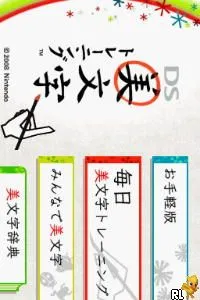
The game loads when you press Play · press “Play Now” inside the game if it asks.
DS Bimoji Training (Japan)
DS Bimoji Training
DS Bimoji Training on NDS
- Nintendo DS
- Educational
- 5· 0 votes
DS Bimoji Training is an educational title released exclusively in Japan for the Nintendo DS. Developed by Nintendo, this game focuses on improving players' writing skills through various exercises. It takes advantage of the DS's unique touchscreen capabilities, making it a distinctive entry in the educational genre for the platform.
In the game, players engage in a series of mini-games designed to enhance their handwriting and character recognition. These activities often involve tracing characters, practicing strokes, and completing writing challenges. The use of the stylus allows for a more interactive experience, which was quite innovative for educational software at the time, especially on a handheld console.
While DS Bimoji Training may not have the broad appeal of more mainstream titles, it holds a special place for those interested in language learning and educational games. It showcases Nintendo's commitment to creating diverse gaming experiences that cater to different audiences. For anyone looking to explore the lesser-known gems of the DS library, this title provides a unique glimpse into the educational offerings of its era.
GAME INFO
- Platform
- Nintendo DS
- Genre
- Educational
- Publisher
- Nintendo
- Developer
- indieszero
- Released
- 2008
- Players
- 1
- Region
- Japan
How to play DS Bimoji Training online
Getting started with DS Bimoji Training involves selecting a mode from the main menu, which is entirely in Japanese. Players should familiarize themselves with the available exercises, as they focus on different aspects of writing and character formation. Each mode typically presents a series of challenges that gradually increase in difficulty.
As you progress through the game, pay attention to the prompts and guidance provided, as these will help you improve your skills. Practicing regularly will enhance your performance in writing exercises. Note that since this title is only available in Japanese, having a basic understanding of the language or using translation tools may be beneficial for navigating menus.
CONTROLS
Controls
- Arrow Keys — D-Pad / Movement
- X — A button
- S — B button
- Z — Y button
- A — X button
- Q — L shoulder
- E — R shoulder
- Enter — Start
- V — Select
DS Bimoji Training FAQ
Is DS Bimoji Training exclusive to Nintendo DS or did it appear on other systems?
This title is exclusive to the Nintendo DS and did not appear on any other systems.
In what year was DS Bimoji Training originally released?
The exact release year is not widely documented, but it was launched during the Nintendo DS era, specifically in the 2000s.
Who developed DS Bimoji Training?
Nintendo is the developer behind DS Bimoji Training, focusing on educational content for the DS platform.
You may also like
All Nintendo DS games











GAME INFO
- Platform
- Nintendo DS
- Genre
- Educational
- Publisher
- Nintendo
- Developer
- indieszero
- Released
- 2008
- Players
- 1
- Region
- Japan
COMMENTS (0)
No comments yet. Be the first to share your thoughts.