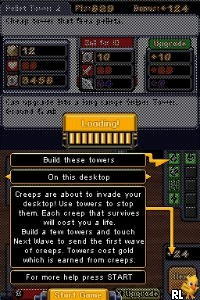
The game loads when you press Play · press “Play Now” inside the game if it asks.
Desktop Tower Defense (USA)
Desktop Tower Defense
Desktop Tower Defense on NDS
- Nintendo DS
- Strategy
- 5· 0 votes
Desktop Tower Defense (USA) is a tower defense game released on the Nintendo DS. This version is based on the popular online Flash game that gained traction in the mid-2000s, created by the developer Paul Preece. The DS version offers a portable experience of this genre, allowing players to strategize and defend against waves of enemies on a handheld platform.
In the game, players place various types of towers along a path to stop incoming waves of enemies. Each tower has its own unique abilities and strengths, requiring players to think critically about placement and upgrades. The core loop involves earning resources to build and upgrade towers while preventing enemies from reaching the end of the path, which adds a layer of strategy to the gameplay.
While Desktop Tower Defense may not be as widely recognized as some other titles of its time, it offers a fun and engaging experience for fans of the tower defense genre. Its simplicity makes it accessible, though it may appeal more to those who enjoy strategic planning rather than action-packed gameplay. For anyone interested in retro gaming or tower defense mechanics, this title is certainly worth a try.
GAME INFO
- Platform
- Nintendo DS
- Genre
- Strategy
- Released
- 2007
- Players
- 1
- Region
- USA
How to play Desktop Tower Defense online
Getting started in Desktop Tower Defense involves selecting your starting towers and placing them strategically on the map. As waves of enemies approach, you’ll earn resources based on the enemies you defeat, which you can use to build more towers or upgrade existing ones. The key is to find a balance between upgrading your defenses and expanding your tower network to cover more ground.
As you progress through the levels, the enemies will become tougher, requiring you to adapt your strategy. Pay attention to the types of enemies and their weaknesses to optimize your tower placements. Experimenting with different combinations of towers can lead to more effective defenses, making for a rewarding experience as you refine your tactics.
CONTROLS
Controls
- Arrow Keys — D-Pad / Movement
- X — A button
- S — B button
- Z — Y button
- A — X button
- Q — L shoulder
- E — R shoulder
- Enter — Start
- V — Select
Desktop Tower Defense FAQ
What type of game is Desktop Tower Defense?
This is a tower defense game where players strategically place towers to stop waves of enemies from reaching a designated endpoint.
Is Desktop Tower Defense considered easy to pick up or challenging?
The game is relatively easy to pick up, especially for those familiar with the tower defense genre, but it can become quite challenging as the waves increase in difficulty.
Who developed Desktop Tower Defense?
The game was created by Paul Preece, who originally developed the online Flash version before it was adapted for the Nintendo DS.
You may also like
All Nintendo DS games











GAME INFO
- Platform
- Nintendo DS
- Genre
- Strategy
- Released
- 2007
- Players
- 1
- Region
- USA
COMMENTS (0)
No comments yet. Be the first to share your thoughts.