CHOOSE A VERSION
3 versions · same consoleChoose an original release, regional version, revision, bootleg or clearly labelled ROM hack/mod, then press Play. Hacks may change the gameplay. Switching versions restarts the player.
- Default · USA · En,Fr,Es
- Deca Sporta - DS de Sports '10' Shumoku! (Japan)
- Sports Island DS (Europe) (En,Fr,De,Es,It)
Selected: Default · USA · En,Fr,Es · USA
The game loads when you press Play · press “Play Now” inside the game if it asks.
Deca Sports DS (USA) (En,Fr,Es)
Deca Sports DS
Inside Deca Sports DS
- Nintendo DS
- Sports
- 5· 0 votes
Deca Sports DS is a sports compilation game released for the Nintendo DS. It came out in the USA and features gameplay in English, French, and Spanish. This title is part of a genre that was quite popular during the DS era, allowing players to engage in various mini-games that simulate different sports, and it was developed by Hudson Soft.
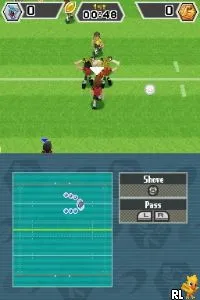
In Deca Sports DS, players get to experience a variety of sports, including soccer, basketball, and volleyball, all presented in a fun and accessible format. The gameplay is centered around quick matches and mini-games that utilize the DS's dual screens for a more engaging experience. Each sport has its own unique controls and mechanics, which keeps the gameplay fresh as you switch between different activities.
What makes Deca Sports DS worth trying is its nostalgic appeal and the charm of its mini-game format. While it may not reach the heights of more dedicated sports titles, it offers a lighthearted experience that can be enjoyed in short bursts. The game is a nice addition to the DS library, especially for those looking to relive the multi-sport party game genre that was prevalent during the console's lifespan.
GAME INFO
- Platform
- Nintendo DS
- Genre
- Sports
- Released
- 2009
- Players
- 1-4
- Region
- USA
How to play Deca Sports DS online
To get started with Deca Sports DS, choose a sport from the main menu. Each sport will have its own set of rules and objectives, so familiarize yourself with the mechanics as you go. You can play through tournaments or quick matches, and the game encourages trying out all the different sports to get the full experience.
As you play, focus on mastering the controls for each sport. Learning how to execute specific moves and strategies will enhance your performance. Keep in mind that while the game is casual, some sports may require more skill and practice to excel, so don't hesitate to jump back into training or practice modes if you need to improve.
CONTROLS
Controls
- Arrow Keys — D-Pad / Movement
- X — A button
- S — B button
- Z — Y button
- A — X button
- Q — L shoulder
- E — R shoulder
- Enter — Start
- V — Select
Deca Sports DS FAQ
Who developed Deca Sports DS?
The game was developed by Hudson Soft, a company known for creating a variety of games during the retro gaming era.
Is Deca Sports DS exclusive to Nintendo DS or did it appear on other systems?
Deca Sports DS is primarily known as a Nintendo DS title and did not appear on other systems.
Is there anything iconic or memorable about Deca Sports DS?
The game is recognized for its collection of mini-games that represent various sports, making it a fun and lighthearted option for casual gaming sessions.
You may also like
All Nintendo DS games











GAME INFO
- Platform
- Nintendo DS
- Genre
- Sports
- Released
- 2009
- Players
- 1-4
- Region
- USA
COMMENTS (0)
No comments yet. Be the first to share your thoughts.