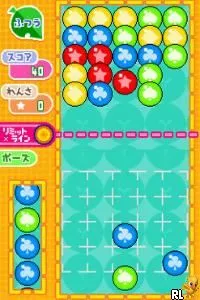
The game loads when you press Play · press “Play Now” inside the game if it asks.
Ciao Dream Touch! - Happy Anniversary (Japan)
Ciao Dream Touch! - Happy Anniversary
Ciao Dream Touch! - Happy Anniversary - Simulation Classic
- Nintendo DS
- Simulation
- 5· 0 votes
GAME INFO
- Platform
- Nintendo DS
- Genre
- Simulation
- Region
- Japan
How to play Ciao Dream Touch! - Happy Anniversary online
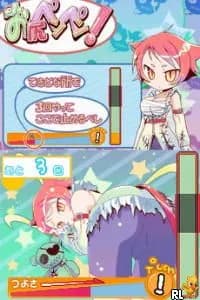
Getting started with Ciao Dream Touch! - Happy Anniversary involves navigating through the menus, which are in Japanese. New players should familiarize themselves with the controls first and then delve into the game. The core gameplay loop typically consists of interacting with various characters and completing mini-games or tasks that advance the experience.
CONTROLS
Controls
- Arrow Keys — D-Pad / Movement
- X — A button
- S — B button
- Z — Y button
- A — X button
- Q — L shoulder
- E — R shoulder
- Enter — Start
- V — Select
Ciao Dream Touch! - Happy Anniversary FAQ
Can players save progress in Ciao Dream Touch! - Happy Anniversary?
Progress saving details are not widely documented, making it unclear if there is a save feature.
Is Ciao Dream Touch! - Happy Anniversary exclusive to Nintendo DS or did it appear on other systems?
This title appears to be exclusive to the Nintendo DS, with no confirmed releases on other platforms.
Who developed Ciao Dream Touch! - Happy Anniversary?
Information about the specific developer is not widely documented, leaving that detail unknown.
You may also like
All Nintendo DS games



GAME INFO
- Platform
- Nintendo DS
- Genre
- Simulation
- Region
- Japan
COMMENTS (0)
No comments yet. Be the first to share your thoughts.