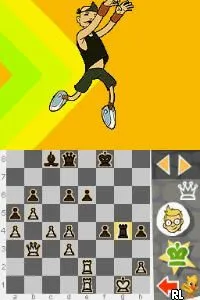
The game loads when you press Play · press “Play Now” inside the game if it asks.
Chess for Kids (Europe) (En,Fr,De,Es,It)
Chess for Kids
Chess for Kids - Educational Classic
- Nintendo DS
- Educational
- 5· 0 votes
Chess for Kids (Europe) (En,Fr,De,Es,It) is a classic educational title that made its way to the Nintendo DS, aimed primarily at introducing younger players to the game of chess. Released in a multi-language format, it supports English, French, German, Spanish, and Italian, making it accessible to a broader audience in Europe. While specific developer and publisher details are not widely documented, the game fits within the educational genre, characteristic of many titles released during the DS era that focused on teaching various skills through interactive gameplay.
In Chess for Kids, players engage in turn-based chess matches against AI opponents or potentially against friends. The game simplifies chess mechanics, ensuring that younger players can grasp the rules without feeling overwhelmed. Players can choose different levels of difficulty, which helps accommodate various skill levels, from complete beginners to those with more experience. The interface is user-friendly, with visual aids that assist in understanding the movement of pieces and the overall objectives of chess.
This title is worth exploring today, especially for those interested in educational games or looking to introduce children to chess. While it may not have the depth or competitive edge of more advanced chess games, its charm lies in its simplicity and accessibility. Compared to other educational titles of its time, Chess for Kids provides a gentle introduction to strategic thinking and problem-solving, making it a valuable addition to the library of anyone interested in classic gaming or educational software on the Nintendo DS.
GAME INFO
- Platform
- Nintendo DS
- Genre
- Educational
- Players
- 1-2
- Region
- Europe
How to play Chess for Kids online
To get started in Chess for Kids, begin by selecting your preferred language and setting up your player profile. The main menu will allow you to choose between single-player against AI or multiplayer modes, if available. Once you select a game mode, you'll be prompted to choose a difficulty level, which helps tailor the experience based on your or your child’s familiarity with chess.
As you play, your objective is to checkmate your opponent’s king while protecting your own. The game provides hints and tutorials that explain the movement of each piece and strategic concepts, which can be particularly helpful for beginners. The core loop involves making strategic moves while anticipating your opponent's actions, making it a great way to develop critical thinking skills over time.
CONTROLS
Controls
- Arrow Keys — D-Pad / Movement
- X — A button
- S — B button
- Z — Y button
- A — X button
- Q — L shoulder
- E — R shoulder
- Enter — Start
- V — Select
Chess for Kids FAQ
Which regions was Chess for Kids released in?
The game was released in Europe, supporting multiple languages including English, French, German, Spanish, and Italian.
Roughly how long does it take to finish Chess for Kids?
The time to finish the game can vary widely depending on the player's skill level and how many matches they choose to play. It's designed for casual play, so sessions can be as short or long as needed.
What makes Chess for Kids stand out among Nintendo DS titles of its era?
Its focus on educating young players about chess through a simple and accessible format sets it apart from many other DS titles. The multi-language support also makes it unique for a game aimed at children, broadening its appeal across various regions.
You may also like
All Nintendo DS games











GAME INFO
- Platform
- Nintendo DS
- Genre
- Educational
- Players
- 1-2
- Region
- Europe
COMMENTS (0)
No comments yet. Be the first to share your thoughts.