CHOOSE A VERSION
2 versions · same consoleChoose an original release, regional version, revision, bootleg or clearly labelled ROM hack/mod, then press Play. Hacks may change the gameplay. Switching versions restarts the player.
Selected: Default · USA · En,Fr · USA
The game loads when you press Play · press “Play Now” inside the game if it asks.
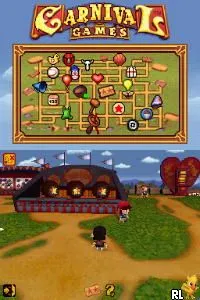
Carnival Games (USA) (En,Fr)
Carnival Games
Carnival Games: NDS Arcade
- Nintendo DS
- Arcade
- 5· 0 votes
GAME INFO
- Platform
- Nintendo DS
- Genre
- Arcade
- Publisher
- 2K Play
- Developer
- Cat Daddy Games
- Released
- 2007
- Players
- 1-2
- Region
- USA
How to play Carnival Games online
CONTROLS
Controls
- Arrow Keys — D-Pad / Movement
- X — A button
- S — B button
- Z — Y button
- A — X button
- Q — L shoulder
- E — R shoulder
- Enter — Start
- V — Select
Carnival Games FAQ
Roughly how long does it take to finish Carnival Games?
The game does not have a definitive end, as it is a collection of mini-games. Players can keep playing indefinitely, aiming for high scores or completing challenges, so it really depends on personal goals.
Can players save progress in Carnival Games?
There is no traditional save feature as the game is designed for quick play sessions. However, players can return to the main menu and continue playing from there without losing their accumulated tickets.
Is Carnival Games exclusive to Nintendo DS or did it appear on other systems?
Carnival Games was released on multiple platforms, including the Wii and Xbox 360. The Nintendo DS version offers a unique experience tailored for handheld play, but it is not exclusive to the system.
You may also like
All Nintendo DS games











GAME INFO
- Platform
- Nintendo DS
- Genre
- Arcade
- Publisher
- 2K Play
- Developer
- Cat Daddy Games
- Released
- 2007
- Players
- 1-2
- Region
- USA
COMMENTS (0)
No comments yet. Be the first to share your thoughts.