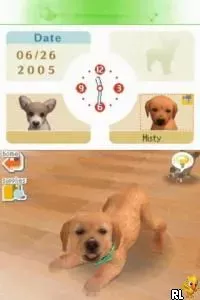
The game loads when you press Play · press “Play Now” inside the game if it asks.
Busy Scissors (USA) (En,Fr,Es)
Busy Scissors
Getting to Know Busy Scissors
- Nintendo DS
- Simulation
- 5· 0 votes
Busy Scissors (USA) (En,Fr,Es) is a simulation game released for the Nintendo DS. This title, developed by an unknown team, falls within the educational genre, focusing on hairstyling and salon management. It offers a unique experience for players interested in the day-to-day operations of running a hair salon, making it a niche yet engaging choice for the platform.
In Busy Scissors, players take on the role of a hairstylist, managing a salon while serving clients with various hair-related requests. The gameplay revolves around performing haircuts, styling, and managing customer satisfaction. Players will interact with clients, selecting different tools and styles to complete their tasks effectively, which adds a layer of strategy to the simulation.
This title is worth exploring for its unique premise within the Nintendo DS library, especially if you enjoy simulation games. While it may not be as widely recognized as some of its counterparts, its educational aspects and hands-on gameplay can offer a refreshing break from more action-oriented titles. If you're interested in games that provide a lighthearted and creative challenge, Busy Scissors could be a fun addition to your collection.
GAME INFO
- Platform
- Nintendo DS
- Genre
- Simulation
- Publisher
- Little Orbit
- Developer
- Little Orbit
- Released
- 2010
- Players
- 1
- Region
- USA
How to play Busy Scissors online
Getting started in Busy Scissors involves selecting your character and entering the salon. Players will begin by meeting clients and understanding their requests. The core gameplay loop revolves around completing various hairdressing tasks efficiently while keeping customers happy, which is essential for progressing through the game.
As you play, you'll learn to manage your time and resources effectively to satisfy different clients. Pay attention to their preferences and the tools available to you. Understanding the mechanics of hair cutting and styling will enhance your experience and help you navigate the challenges presented in the game.
CONTROLS
Controls
- Arrow Keys — D-Pad / Movement
- X — A button
- S — B button
- Z — Y button
- A — X button
- Q — L shoulder
- E — R shoulder
- Enter — Start
- V — Select
Busy Scissors FAQ
Is Busy Scissors exclusive to Nintendo DS or did it appear on other systems?
This title is exclusive to the Nintendo DS and has not been released on any other platforms.
Is Busy Scissors considered easy to pick up or challenging?
The game is generally considered easy to pick up, making it accessible for players of all ages. However, mastering the various tasks and satisfying clients can present a fun challenge as you progress.
Who developed Busy Scissors?
The developer of Busy Scissors is not widely documented, so specific details about the team behind the game remain unclear.
You may also like
All Nintendo DS games











GAME INFO
- Platform
- Nintendo DS
- Genre
- Simulation
- Publisher
- Little Orbit
- Developer
- Little Orbit
- Released
- 2010
- Players
- 1
- Region
- USA
COMMENTS (0)
No comments yet. Be the first to share your thoughts.