CHOOSE A VERSION
2 versions · same consoleChoose an original release, regional version, revision, bootleg or clearly labelled ROM hack/mod, then press Play. Hacks may change the gameplay. Switching versions restarts the player.
Selected: Default · USA · En,Fr,Es · USA
The game loads when you press Play · press “Play Now” inside the game if it asks.
Bratz Kidz - Slumber Party (USA) (En,Fr,Es)
Bratz Kidz - Slumber Party
About Bratz Kidz - Slumber Party
- Nintendo DS
- Simulation
- 5· 0 votes
Bratz Kidz - Slumber Party is a life simulation game released for the Nintendo DS. It was developed by THQ and launched in 2007, catering primarily to a younger audience who are fans of the Bratz franchise. The game fits within the simulation genre, which was popular during the DS era, focusing on social interactions and character customization.
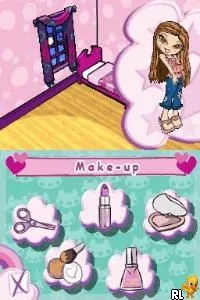
In this game, players engage in various activities typical of a slumber party setting. You can interact with different characters, customize their appearances, and participate in mini-games that revolve around the slumber party theme. The gameplay encourages creativity and social interactions, allowing players to experience the fun that comes with hosting or attending a slumber party with friends.
Despite being a niche title, Bratz Kidz - Slumber Party offers a light-hearted experience that resonates with fans of the franchise. It may not have the depth of some other simulation games from that era, but its charm lies in its playful atmosphere and character-driven gameplay. For those interested in the Bratz series or looking for a simple, enjoyable experience on the DS, this title is worth checking out.
GAME INFO
- Platform
- Nintendo DS
- Genre
- Simulation
- Released
- 2007
- Players
- 1
- Region
- USA
How to play Bratz Kidz - Slumber Party online
Getting started with Bratz Kidz - Slumber Party involves selecting your character and diving into the slumber party activities. You’ll find a variety of mini-games and customization options right from the beginning. As you progress, you can unlock new items and features that enhance your experience, making it more enjoyable.
The core loop revolves around interacting with other characters and completing various tasks. Engaging in mini-games will help you earn points and unlock more customization options. Understanding the layout of the game and the activities available will help you get the most out of your time at the slumber party.
CONTROLS
Controls
- Arrow Keys — D-Pad / Movement
- X — A button
- S — B button
- Z — Y button
- A — X button
- Q — L shoulder
- E — R shoulder
- Enter — Start
- V — Select
Bratz Kidz - Slumber Party FAQ
Who developed Bratz Kidz - Slumber Party?
THQ developed Bratz Kidz - Slumber Party, a title that was part of the broader Bratz franchise aimed at younger audiences.
Is Bratz Kidz - Slumber Party exclusive to Nintendo DS or did it appear on other systems?
This game is exclusive to the Nintendo DS and did not appear on other gaming systems.
Does Bratz Kidz - Slumber Party have a multiplayer or co-op mode?
Bratz Kidz - Slumber Party does not feature a multiplayer or co-op mode, focusing instead on single-player experiences.
You may also like
All Nintendo DS games











GAME INFO
- Platform
- Nintendo DS
- Genre
- Simulation
- Released
- 2007
- Players
- 1
- Region
- USA
COMMENTS (0)
No comments yet. Be the first to share your thoughts.