CHOOSE A VERSION
2 versions · same consoleChoose an original release, regional version, revision, bootleg or clearly labelled ROM hack/mod, then press Play. Hacks may change the gameplay. Switching versions restarts the player.
Selected: Default · USA · En,Fr,Es · USA
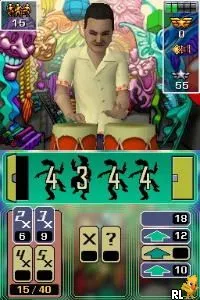
The game loads when you press Play · press “Play Now” inside the game if it asks.
Brain Voyage (USA) (En,Fr,Es)
Brain Voyage
Brain Voyage on NDS
- Nintendo DS
- Educational
- 5· 0 votes
GAME INFO
- Platform
- Nintendo DS
- Genre
- Educational
- Publisher
- Eidos Interactive
- Developer
- Razorback Developments
- Released
- 2008
- Players
- 1
- Region
- USA
How to play Brain Voyage online
Getting started in Brain Voyage involves selecting a mini-game from the main menu. Upon entering a game, players are presented with a puzzle or challenge that they must complete within a set time limit. The core loop revolves around solving these puzzles efficiently to earn points and unlock further challenges.
As you progress, the difficulty tends to increase, offering more complex puzzles that require sharper skills. Familiarizing yourself with the control scheme is essential, as quick reactions will often be necessary to succeed. Keep an eye on the time and try to think ahead to maximize your performance in each mini-game.
CONTROLS
Controls
- Arrow Keys — D-Pad / Movement
- X — A button
- S — B button
- Z — Y button
- A — X button
- Q — L shoulder
- E — R shoulder
- Enter — Start
- V — Select
Brain Voyage FAQ
Can players save progress in Brain Voyage?
The game does not widely document a save feature, which may limit how players can track their progress. Players typically must complete levels without the ability to save mid-game.
Does Brain Voyage have a multiplayer or co-op mode?
There is no widely known multiplayer or co-op mode available in Brain Voyage. It primarily focuses on single-player experiences through its mini-games.
Is Brain Voyage exclusive to Nintendo DS or did it appear on other systems?
Brain Voyage is primarily known for its release on the Nintendo DS. There is no information suggesting that it was ported to other systems.
You may also like
All Nintendo DS games











GAME INFO
- Platform
- Nintendo DS
- Genre
- Educational
- Publisher
- Eidos Interactive
- Developer
- Razorback Developments
- Released
- 2008
- Players
- 1
- Region
- USA
COMMENTS (0)
No comments yet. Be the first to share your thoughts.