CHOOSE A VERSION
3 versions · same consoleChoose an original release, regional version, revision, bootleg or clearly labelled ROM hack/mod, then press Play. Hacks may change the gameplay. Switching versions restarts the player.
- Default · USA · En,Fr,De,Es,It
- Europe · En,Fr,De,Es,It
- Unou Nouryoku Check Machine - Touch de Unoo! DS (Japan)
Selected: Default · USA · En,Fr,De,Es,It · USA
The game loads when you press Play · press “Play Now” inside the game if it asks.
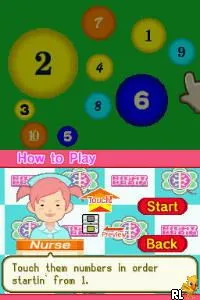
Brain Assist (USA) (En,Fr,De,Es,It)
Brain Assist
Brain Assist: NDS Educational
- Nintendo DS
- Educational
- 5· 0 votes
GAME INFO
- Platform
- Nintendo DS
- Genre
- Educational
- Released
- 2007
- Players
- 1
- Region
- USA
How to play Brain Assist online
CONTROLS
Controls
- Arrow Keys — D-Pad / Movement
- X — A button
- S — B button
- Z — Y button
- A — X button
- Q — L shoulder
- E — R shoulder
- Enter — Start
- V — Select
Brain Assist FAQ
Who developed Brain Assist?
Information about the developer is not widely documented, making it difficult to identify who specifically created Brain Assist.
Is Brain Assist exclusive to Nintendo DS or did it appear on other systems?
Brain Assist was released solely for the Nintendo DS, and there are no known versions for other systems.
Is Brain Assist considered easy to pick up or challenging?
The game is generally considered easy to pick up, with straightforward mechanics that cater to a wide range of players, particularly those interested in casual brain training.
You may also like
All Nintendo DS games











GAME INFO
- Platform
- Nintendo DS
- Genre
- Educational
- Released
- 2007
- Players
- 1
- Region
- USA
COMMENTS (0)
No comments yet. Be the first to share your thoughts.