The game loads when you press Play · press “Play Now” inside the game if it asks.
Bauernhof, Der (Germany)
Bauernhof, Der
Bauernhof, Der on NDS
- Nintendo DS
- Simulation
- 5· 0 votes
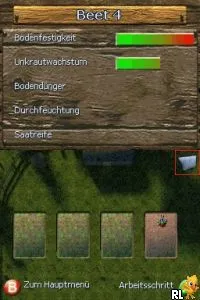
Bauernhof, Der (Germany) is a simulation game for the Nintendo DS that immerses players in a farming experience. Released in Europe, this title is known for its straightforward mechanics and engaging themes of agriculture. While specific details on the developer and publisher are not widely documented, the game fits within the niche of farming simulations that were popular during the DS era.
In Bauernhof, Der, players take on the role of a farmer who manages their own farm. The gameplay revolves around planting crops, raising animals, and managing farm resources to build a successful agricultural business. Players can engage with various farming tasks that simulate the day-to-day operations of running a farm, from sowing seeds to harvesting produce, creating a cycle that players can enjoy.
What makes Bauernhof, Der interesting today is its simplicity and focus on farm management, appealing to those who appreciate simulation games. While it may not be as sophisticated as some contemporary farming titles, it serves as a charming reminder of the genre's roots. For fans of retro games or those looking for a casual experience on the DS, this title offers a nostalgic look at farming simulations from its time.
GAME INFO
- Platform
- Nintendo DS
- Genre
- Simulation
- Players
- 1
- Region
- Europe
How to play Bauernhof, Der online
Getting started in Bauernhof, Der involves familiarizing yourself with the farming mechanics. Begin by planting your first crop, as this will set the foundation for your farm. You'll need to manage your time and resources effectively to ensure that your farm thrives.
The core gameplay loop consists of planting, watering, and harvesting crops, while also taking care of animals if applicable. It’s essential to keep track of the seasons and the growth cycles of your plants. As you progress, you might unlock additional features or upgrades, which can enhance your farming experience. Be sure to explore all options and enjoy the rhythm of farm life.
CONTROLS
Controls
- Arrow Keys — D-Pad / Movement
- X — A button
- S — B button
- Z — Y button
- A — X button
- Q — L shoulder
- E — R shoulder
- Enter — Start
- V — Select
Bauernhof, Der FAQ
Which regions was Bauernhof, Der released in?
This title was released in Europe, primarily targeting German-speaking audiences.
Is there anything iconic or memorable about Bauernhof, Der?
While it may not have distinct iconic moments, it captures the essence of farming simulations in a straightforward manner, appealing to genre enthusiasts.
Does Bauernhof, Der have a multiplayer or co-op mode?
There is no known multiplayer or co-op mode in Bauernhof, Der, as it is designed primarily as a single-player farming simulation.
You may also like
All Nintendo DS games











GAME INFO
- Platform
- Nintendo DS
- Genre
- Simulation
- Players
- 1
- Region
- Europe
COMMENTS (0)
No comments yet. Be the first to share your thoughts.