CHOOSE A VERSION
3 versions · same consoleChoose an original release, regional version, revision, bootleg or clearly labelled ROM hack/mod, then press Play. Hacks may change the gameplay. Switching versions restarts the player.
Selected: Default · USA · En,Fr · USA
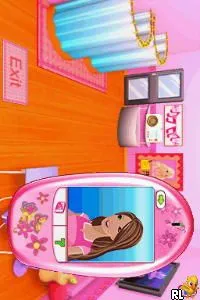
The game loads when you press Play · press “Play Now” inside the game if it asks.
Barbie Fashion Show - An Eye for Style (USA) (En,Fr)
Barbie Fashion Show - An Eye for Style
Barbie Fashion Show - An Eye for Style on NDS
- Nintendo DS
- Simulation
- 5· 0 votes
Barbie Fashion Show - An Eye for Style is a simulation game released for the Nintendo DS. It came out in the USA and features both English and French language options. Developed by a team known for creating games aimed at younger audiences, it allows players to step into the world of fashion through the lens of the iconic Barbie brand.
In this game, players take on the role of a fashion designer and stylist, preparing Barbie for various fashion shows. Players can select outfits, accessories, and hairstyles to create unique looks for Barbie, which are then showcased on the runway. The gameplay revolves around fulfilling specific fashion challenges, making it a blend of creativity and strategy as players aim to impress judges and audiences alike.
This title holds a niche appeal, especially for fans of fashion and Barbie. While it may not be as complex as other simulation games, it captures the essence of the fashion world in a lighthearted manner. For those interested in retro gaming or who have a fondness for Barbie, it can be a charming title to revisit, offering a glimpse into the simpler gaming experiences of the DS era.
GAME INFO
- Platform
- Nintendo DS
- Genre
- Simulation
- Released
- 2009
- Players
- 1
- Region
- USA
How to play Barbie Fashion Show - An Eye for Style online
Getting Started: To begin playing Barbie Fashion Show - An Eye for Style, start by selecting your character and exploring the various fashion options available. The game guides you through different styles and challenges, so pay attention to the prompts that will help you navigate the fashion choices.
As you progress, the core loop involves selecting outfits and accessories that fit the theme of each fashion show. Completing challenges will earn you points and unlock new items. Familiarize yourself with the different styles and remember that creativity plays a big role in impressing the judges during the runway shows.
CONTROLS
Controls
- Arrow Keys — D-Pad / Movement
- X — A button
- S — B button
- Z — Y button
- A — X button
- Q — L shoulder
- E — R shoulder
- Enter — Start
- V — Select
Barbie Fashion Show - An Eye for Style FAQ
Who developed Barbie Fashion Show - An Eye for Style?
The information regarding the specific developer of this game is not widely documented.
Does Barbie Fashion Show - An Eye for Style have a multiplayer or co-op mode?
There is no known multiplayer or co-op mode in this title; it is designed for single-player gameplay.
Is Barbie Fashion Show - An Eye for Style exclusive to Nintendo DS or did it appear on other systems?
This game is primarily recognized as a Nintendo DS exclusive and has not been reported to appear on other systems.
You may also like
All Nintendo DS games











GAME INFO
- Platform
- Nintendo DS
- Genre
- Simulation
- Released
- 2009
- Players
- 1
- Region
- USA
COMMENTS (0)
No comments yet. Be the first to share your thoughts.