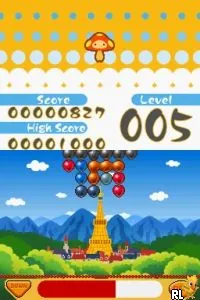
The game loads when you press Play · press “Play Now” inside the game if it asks.
Balloon Pop (USA)
Balloon Pop
Balloon Pop - Puzzle Classic
- Nintendo DS
- Puzzle
- 5· 0 votes
Balloon Pop (USA) is a puzzle game released for the Nintendo DS. Developed by a lesser-known team, this title falls within the casual gaming genre that became popular during the DS era. It offers a straightforward premise suitable for players of all ages, making it an approachable choice for casual gaming sessions.
In Balloon Pop, players engage in a colorful and whimsical environment where the main objective is to pop balloons. The gameplay involves using the stylus to tap on the balloons as they float across the screen, with various challenges and power-ups that keep the action lively. While the mechanics are simple, they are designed to be engaging, promoting quick reflexes and strategic thinking as players aim for high scores.
What makes Balloon Pop worth trying today is its nostalgic charm and the simple joy of its gameplay. While it may not compete with blockbuster titles from the Nintendo DS library, it holds a special place as a casual diversion. Fans of puzzle games from this era will appreciate its easy-to-pick-up mechanics, making it a fun option for quick gaming sessions, whether you’re revisiting old favorites or exploring lesser-known gems.
GAME INFO
- Platform
- Nintendo DS
- Genre
- Puzzle
- Publisher
- UFO Interactive Games
- Developer
- UFO Interactive Games
- Released
- 2007
- Players
- 1
- Region
- USA
How to play Balloon Pop online
To get started with Balloon Pop, begin by selecting your game mode from the main menu. The core loop involves popping balloons that appear on the screen, with various colors and sizes adding to the challenge. Pay attention to any special balloons, as they might provide bonuses or require different strategies to pop.
As you progress, the levels may introduce new mechanics or obstacles that enhance the gameplay experience. Familiarize yourself with the timing and patterns of balloon appearances, and aim to achieve the highest score possible. The simplicity of the controls allows for quick learning, making it easy for new players to jump right in.
CONTROLS
Controls
- Arrow Keys — D-Pad / Movement
- X — A button
- S — B button
- Z — Y button
- A — X button
- Q — L shoulder
- E — R shoulder
- Enter — Start
- V — Select
Balloon Pop FAQ
Which regions was Balloon Pop released in?
The exact regions for Balloon Pop are not widely documented, but it is known to have been released in the USA.
What type of game is Balloon Pop?
This title is categorized as a puzzle game, emphasizing quick reflexes and strategic balloon popping.
Is Balloon Pop exclusive to Nintendo DS or did it appear on other systems?
Balloon Pop is primarily known as a Nintendo DS title, and there are no widely documented releases on other systems.
You may also like
All Nintendo DS games











GAME INFO
- Platform
- Nintendo DS
- Genre
- Puzzle
- Publisher
- UFO Interactive Games
- Developer
- UFO Interactive Games
- Released
- 2007
- Players
- 1
- Region
- USA
COMMENTS (0)
No comments yet. Be the first to share your thoughts.