The game loads when you press Play · press “Play Now” inside the game if it asks.
Bakushow - Challenge Your Friends! (Europe) (En,Fr,De,Es,It)
Bakushow - Challenge Your Friends!
Inside Bakushow - Challenge Your Friends!
- Nintendo DS
- Action
- 5· 0 votes
Bakushow - Challenge Your Friends! is a multiplayer game released for the Nintendo DS platform, primarily in Europe. This title falls into the action genre and was developed to engage players in competitive mini-games. While specific developer details are scarce, the game is designed to be played with friends, emphasizing fun and interaction during gameplay.
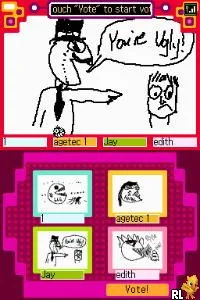
In Bakushow, players face off in a series of mini-games that test their reflexes, strategy, and sometimes luck. Each mini-game presents unique challenges that require quick thinking and fast reactions. The game encourages social play, allowing players to compete against one another, which adds a layer of excitement and unpredictability to the experience.
This title is worth exploring if you're looking for lighthearted competition with friends. Although it may not have the depth of some other DS titles, its charm lies in its simplicity and the variety of mini-games available. For fans of party games, Bakushow can serve as a fun way to pass the time, especially in a group setting, making it a nostalgic piece of the Nintendo DS library.
GAME INFO
- Platform
- Nintendo DS
- Genre
- Action
- Players
- 1-4
- Region
- Europe
How to play Bakushow - Challenge Your Friends! online
Getting started in Bakushow involves selecting the mini-game mode and inviting friends to join. Once everyone is ready, the game will cycle through various mini-games, each with its own rules and objectives. Players need to adapt quickly to the different challenges as they compete for the highest score.
The core gameplay loop revolves around completing these mini-games, earning points, and trying to outscore your friends. Pay attention to the rules of each mini-game, as they can vary widely, requiring different skills. Keeping a friendly competitive spirit will enhance the enjoyment, making each session memorable.
CONTROLS
Controls
- Arrow Keys — D-Pad / Movement
- X — A button
- S — B button
- Z — Y button
- A — X button
- Q — L shoulder
- E — R shoulder
- Enter — Start
- V — Select
Bakushow - Challenge Your Friends! FAQ
Who developed Bakushow - Challenge Your Friends!?
Information about the specific developer of Bakushow - Challenge Your Friends! is not widely documented.
Roughly how long does it take to finish Bakushow - Challenge Your Friends!?
The duration to complete Bakushow can vary widely due to its mini-game format, as players can engage in multiple sessions without a definitive end.
Is Bakushow - Challenge Your Friends! considered easy to pick up or challenging?
The game is generally easy to pick up, making it accessible for players of all skill levels, though some mini-games may present a challenge depending on player experience.
You may also like
All Nintendo DS games











GAME INFO
- Platform
- Nintendo DS
- Genre
- Action
- Players
- 1-4
- Region
- Europe
COMMENTS (0)
No comments yet. Be the first to share your thoughts.