CHOOSE A VERSION
2 versions · same consoleChoose an original release, regional version, revision, bootleg or clearly labelled ROM hack/mod, then press Play. Hacks may change the gameplay. Switching versions restarts the player.
Selected: Default · USA · USA
The game loads when you press Play · press “Play Now” inside the game if it asks.
AMF Bowling Pinbusters! (USA)
AMF Bowling Pinbusters!
Getting to Know AMF Bowling Pinbusters!
- Nintendo DS
- Sports
- 5· 0 votes
GAME INFO
- Platform
- Nintendo DS
- Genre
- Sports
- Publisher
- Mud Duck Productions
- Developer
- Atomic Planet Entertainment
- Released
- 2006
- Players
- 1-2
- Region
- USA
How to play AMF Bowling Pinbusters! online
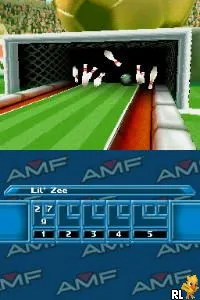
To get started in AMF Bowling Pinbusters!, choose your bowler and select a bowling alley. The game typically begins with a practice mode, which is a great way to familiarize yourself with the controls and mechanics. Pay attention to your timing when you throw the ball, as achieving strikes and spares requires precision.
The core loop involves rolling the ball down the lane, aiming to knock down as many pins as possible. You can adjust your angle and power using the stylus, making each throw feel unique. As you progress, you'll unlock new alleys and customization options for your character, adding to the replay value of the game.
CONTROLS
Controls
- Arrow Keys — D-Pad / Movement
- X — A button
- S — B button
- Z — Y button
- A — X button
- Q — L shoulder
- E — R shoulder
- Enter — Start
- V — Select
AMF Bowling Pinbusters! FAQ
What type of game is AMF Bowling Pinbusters!?
This is a sports simulation game focused on bowling, allowing players to engage in matches and customize their experience.
Is AMF Bowling Pinbusters! exclusive to Nintendo DS or did it appear on other systems?
AMF Bowling Pinbusters! is primarily known as a Nintendo DS title and has not been released on other major systems.
Who developed AMF Bowling Pinbusters!?
The development details for AMF Bowling Pinbusters! are not widely documented, but it is associated with the AMF Bowling series.
You may also like
All Nintendo DS games











GAME INFO
- Platform
- Nintendo DS
- Genre
- Sports
- Publisher
- Mud Duck Productions
- Developer
- Atomic Planet Entertainment
- Released
- 2006
- Players
- 1-2
- Region
- USA
COMMENTS (0)
No comments yet. Be the first to share your thoughts.