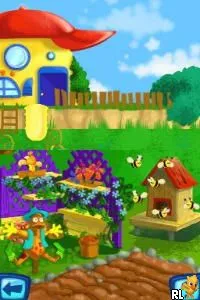
The game loads when you press Play · press “Play Now” inside the game if it asks.
Adibou - Je Joue a Lire et a Compter (France)
Adibou - Je Joue a Lire et a Compter
Adibou - Je Joue a Lire et a Compter - Educational Classic
- Nintendo DS
- Educational
- 5· 0 votes
Adibou - Je Joue a Lire et a Compter is an educational game for the Nintendo DS, released in France. It is part of the Adibou series, known for helping young children develop reading and counting skills through interactive gameplay. This title emphasizes learning through play, making it a fitting addition to the educational genre during the DS era, which focused on innovative touchscreen mechanics.
In this game, players engage in various mini-games designed to boost literacy and numeracy. The gameplay typically involves fun challenges that require children to read, count, and solve simple problems. Each activity is crafted to be engaging, allowing for a mix of learning and entertainment that keeps young players motivated and involved.
Adibou - Je Joue a Lire et a Compter holds a niche place in the library of educational titles. While it may not be as well-known as mainstream games, it offers a valuable learning experience for young children. Compared to other educational games of its time, it stands out for its focus on reading and counting, providing a playful environment for foundational skills development.
GAME INFO
- Platform
- Nintendo DS
- Genre
- Educational
- Players
- 1
- Region
- Europe
How to play Adibou - Je Joue a Lire et a Compter online
To get started with Adibou - Je Joue a Lire et a Compter, select a mini-game from the main menu. Each game focuses on different skills, so it’s a good idea to try a few to see which ones you enjoy the most. The core loop consists of completing these mini-games, which will help reinforce your reading and counting skills in an enjoyable way.
As you progress, pay attention to the instructions provided within each game. They will guide you on how to complete tasks and what the goals are. The engaging art style and sound effects help make learning feel like play, making it easier for young players to stay focused and eager to learn.
CONTROLS
Controls
- Arrow Keys — D-Pad / Movement
- X — A button
- S — B button
- Z — Y button
- A — X button
- Q — L shoulder
- E — R shoulder
- Enter — Start
- V — Select
Adibou - Je Joue a Lire et a Compter FAQ
Which regions was Adibou - Je Joue a Lire et a Compter released in?
The game was primarily released in France, targeting the European educational market.
Is Adibou - Je Joue a Lire et a Compter exclusive to Nintendo DS or did it appear on other systems?
This title is specifically designed for the Nintendo DS and does not have known releases on other systems.
Is there anything iconic or memorable about Adibou - Je Joue a Lire et a Compter?
The game is notable for its approach to combining education with fun gameplay, making it a memorable choice for parents looking for learning tools for young children.
You may also like
All Nintendo DS games











GAME INFO
- Platform
- Nintendo DS
- Genre
- Educational
- Players
- 1
- Region
- Europe
COMMENTS (0)
No comments yet. Be the first to share your thoughts.