CHOOSE A VERSION
4 versions · same consoleChoose an original release, regional version, revision, bootleg or clearly labelled ROM hack/mod, then press Play. Hacks may change the gameplay. Switching versions restarts the player.
Selected: Default · Europe · Europe
The game loads when you press Play · press “Play Now” inside the game if it asks.
7 Wonders II (Europe)
7 Wonders II
7 Wonders II on NDS
- Nintendo DS
- Puzzle
- 5· 0 votes
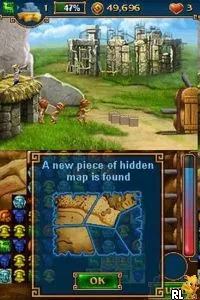
7 Wonders II (Europe) is a puzzle game released for the Nintendo DS, part of the popular 7 Wonders series. It was developed by a team known for creating engaging puzzle experiences. While the specific details of the release are less documented, it is recognized within the DS library for its captivating gameplay that draws players into its world of ancient wonders.
In the game, players engage in tile-matching mechanics to create and rebuild the Seven Wonders of the Ancient World. The core gameplay revolves around matching adjacent tiles to clear them from the board, with the ultimate goal of accumulating resources to construct these magnificent structures. As players progress, they can expect to encounter various challenges and puzzles that require strategic thinking and quick reflexes.
This title is worth exploring for anyone who appreciates puzzle games, especially those from the DS era. While it may not have the same level of acclaim as other major titles, it offers a solid experience for fans of the genre. Its charming graphics and engaging mechanics provide a nice escape, making it a pleasant addition to a retro gaming collection, especially for those who enjoy casual puzzle-solving.
GAME INFO
- Platform
- Nintendo DS
- Genre
- Puzzle
- Publisher
- Accelerate Games
- Developer
- MumboJumbo
- Released
- 2008
- Players
- 1
- Region
- Europe
How to play 7 Wonders II online
Getting started with 7 Wonders II involves selecting a game mode and diving into the tile-matching puzzles. Players will begin by matching tiles on a grid, focusing on creating combinations that will help gather resources. The game encourages strategic planning as players must decide which tiles to match to maximize their progress toward building the wonders.
As you progress, be mindful of the time limits and challenges that may arise. The core loop consists of matching tiles, clearing them, and then using the resources to construct parts of the wonders. Familiarizing yourself with the controls and the mechanics will enhance your experience, allowing you to tackle the puzzles more effectively.
CONTROLS
Controls
- Arrow Keys — D-Pad / Movement
- X — A button
- S — B button
- Z — Y button
- A — X button
- Q — L shoulder
- E — R shoulder
- Enter — Start
- V — Select
7 Wonders II FAQ
Is 7 Wonders II exclusive to Nintendo DS or did it appear on other systems?
The game is primarily known for its release on the Nintendo DS and does not have widespread availability on other platforms.
Does 7 Wonders II have a multiplayer or co-op mode?
There is no documented multiplayer or co-op mode for 7 Wonders II; it is designed as a single-player puzzle experience.
Is 7 Wonders II an official release, a fan hack, a prototype, or another kind of build?
This title is considered an official release for the Nintendo DS, developed as part of the 7 Wonders franchise.
You may also like
All Nintendo DS games











GAME INFO
- Platform
- Nintendo DS
- Genre
- Puzzle
- Publisher
- Accelerate Games
- Developer
- MumboJumbo
- Released
- 2008
- Players
- 1
- Region
- Europe
COMMENTS (0)
No comments yet. Be the first to share your thoughts.