CHOOSE A VERSION
2 versions · same consoleChoose an original release, regional version, revision, bootleg or clearly labelled ROM hack/mod, then press Play. Hacks may change the gameplay. Switching versions restarts the player.
Selected: Default · USA · USA
The game loads when you press Play · press “Play Now” inside the game if it asks.
100 Classic Books (USA)
100 Classic Books
100 Classic Books on NDS
- Nintendo DS
- Educational
- 5· 0 votes
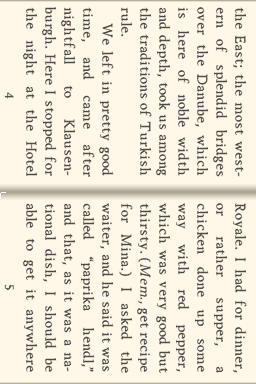
100 Classic Books (USA) for the Nintendo DS is an interesting title that combines literature with interactive gameplay. Released as part of a compilation, this game features a collection of classic literary works, making it an educational experience for players. The game is categorized under the educational genre, appealing to those interested in both reading and gaming on a handheld platform.
In this title, players engage with a variety of classic texts, each presented in a way that encourages exploration and understanding. While the exact mechanics can vary, players typically navigate through different stories, possibly interacting with text or answering questions related to the material. This structure allows for a unique blend of reading comprehension and gaming, although it may not have the depth of traditional gameplay found in more action-oriented titles.
What makes 100 Classic Books worth exploring today is its unique approach to blending literature with gaming, a rarity in the DS library. While it may not have the broad appeal of mainstream titles, it serves as a niche offering for those who appreciate classic literature and want a different kind of gaming experience. Compared to other educational games of its time, it stands out for its focus on literary content, making it a worthwhile choice for players who enjoy reading as much as gaming.
GAME INFO
- Platform
- Nintendo DS
- Genre
- Educational
- Players
- 1
- Region
- USA
How to play 100 Classic Books online
To get started with 100 Classic Books, first select a book from the main menu. This title may present you with a variety of classic texts, and your task is to read and interact with them. As you progress, you may encounter different activities or quizzes related to the content, enhancing your understanding of the material.
The core loop revolves around reading and engaging with the stories presented. Pay attention to any prompts that may ask you to answer questions or make choices based on the text. This interaction not only makes the experience more engaging but also reinforces the literary themes and concepts, making it an educational tool as well as a game.
CONTROLS
Controls
- Arrow Keys — D-Pad / Movement
- X — A button
- S — B button
- Z — Y button
- A — X button
- Q — L shoulder
- E — R shoulder
- Enter — Start
- V — Select
100 Classic Books FAQ
Is 100 Classic Books exclusive to Nintendo DS or did it appear on other systems?
This title is exclusive to the Nintendo DS platform and did not release on other systems.
In what year was 100 Classic Books originally released?
The original release year is not widely documented, so specific information about the release date is unclear.
Who developed 100 Classic Books?
The developer information is not widely documented, leaving it unclear who specifically created this title.
You may also like
All Nintendo DS games











GAME INFO
- Platform
- Nintendo DS
- Genre
- Educational
- Players
- 1
- Region
- USA
COMMENTS (0)
No comments yet. Be the first to share your thoughts.