The game loads when you press Play · press “Play Now” inside the game if it asks.
10 voor Taal (Netherlands)
10 voor Taal
10 voor Taal: NDS Educational
- Nintendo DS
- Educational
- 5· 0 votes
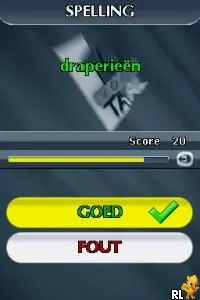
10 voor Taal (Netherlands) is an educational game for the Nintendo DS that focuses on language skills. Released exclusively in the Netherlands, it aims to improve vocabulary and language comprehension through engaging gameplay. This title is part of a genre that combines learning with interactive entertainment, a common trend during the DS era, which was known for its diverse library of educational titles.
In this game, players engage in various language-related mini-games designed to challenge their vocabulary and spelling abilities. The mechanics often incorporate quizzes and puzzles that require players to think critically and respond quickly, which is typical for educational games on the platform. The structure encourages repeated play to master different aspects of the language, making it both fun and beneficial for learners.
What makes 10 voor Taal worth trying today is its unique approach to learning through gameplay, which remains relevant in a world where educational tools are increasingly interactive. While it may not have the broad appeal of mainstream gaming titles, it serves a niche audience looking to enhance their language skills in a casual setting. Compared to similar games from its time, it holds its own by providing a focused experience that aligns well with the educational goals of players, particularly younger audiences or language learners.
GAME INFO
- Platform
- Nintendo DS
- Genre
- Educational
- Players
- 1
- Region
- Europe
How to play 10 voor Taal online
Getting started in 10 voor Taal involves selecting your preferred game mode from the main menu. Players will then navigate through a series of language challenges, each designed to test different skills. The core loop revolves around completing these mini-games to earn points and unlock further content, which keeps the gameplay engaging.
As you progress, you'll encounter various language puzzles that will require quick thinking and a good grasp of vocabulary. It's important to familiarize yourself with the different types of challenges early on, as they can vary in difficulty and format. Staying sharp on your language skills will not only help you succeed but also enhance your overall learning experience.
CONTROLS
Controls
- Arrow Keys — D-Pad / Movement
- X — A button
- S — B button
- Z — Y button
- A — X button
- Q — L shoulder
- E — R shoulder
- Enter — Start
- V — Select
10 voor Taal FAQ
Which regions was 10 voor Taal released in?
The game was released exclusively in the Netherlands, targeting Dutch-speaking audiences.
Is 10 voor Taal exclusive to Nintendo DS or did it appear on other systems?
This title is exclusive to the Nintendo DS and did not appear on any other gaming systems.
In what year was 10 voor Taal originally released?
The original release year is not widely documented, so specific information is unavailable.
You may also like
All Nintendo DS games











GAME INFO
- Platform
- Nintendo DS
- Genre
- Educational
- Players
- 1
- Region
- Europe
COMMENTS (0)
No comments yet. Be the first to share your thoughts.