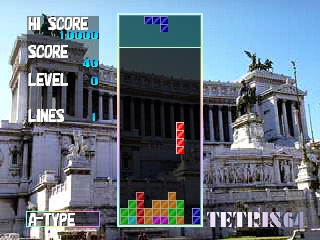
The game loads when you press Play · press “Play Now” inside the game if it asks.
Tetris 64 (Japan)
Tetris 64
Tetris 64 Overview
- Nintendo 64
- Puzzle
- 5· 0 votes
GAME INFO
- Platform
- Nintendo 64
- Genre
- Puzzle
- Publisher
- SETA Corporation
- Released
- 1998
- Players
- 1-2
- Region
- Japan
- Based on
- Tetris
More Tetris Games
Ready for another round? Explore more Tetris games and console editions. Choose a game below to play it on its own page.
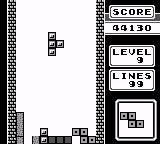
How to play Tetris 64 online
Getting started with Tetris 64 involves selecting your game mode from the main menu. Since this title is only available in Japanese, players may need to familiarize themselves with basic navigation, which typically includes options like single-player or multiplayer modes. Once you've made your selection, you can dive right into the action.
The core loop consists of manipulating the falling Tetriminos to clear lines and maximize your score. As you progress, the speed increases, making it more challenging to position the blocks correctly. Mastering the controls and understanding the patterns of the Tetriminos will be key to achieving higher scores and lasting longer in the game.
CONTROLS
Controls
- Arrow Keys — D-Pad / Movement
- X — A button
- S — B button
- Z — Z trigger
- A — C-Down
- Q — L shoulder
- E — R shoulder
- Enter — Start
Tetris 64 FAQ
Which regions was Tetris 64 released in?
The game was exclusively released in Japan, making it a unique title in the Tetris franchise that may not be as accessible to players outside that region.
Is Tetris 64 considered easy to pick up or challenging?
Tetris 64 is generally regarded as easy to pick up due to its familiar mechanics. However, as the speed increases, it can become quite challenging, especially for players aiming for high scores.
Roughly how long does it take to finish Tetris 64?
The game does not have a definitive ending, as it follows the endless play style typical of Tetris games. Players can continue to play until they can no longer clear lines, making playtime variable.
You may also like
All Nintendo 64 games











GAME INFO
- Platform
- Nintendo 64
- Genre
- Puzzle
- Publisher
- SETA Corporation
- Released
- 1998
- Players
- 1-2
- Region
- Japan
- Based on
- Tetris
COMMENTS (0)
No comments yet. Be the first to share your thoughts.