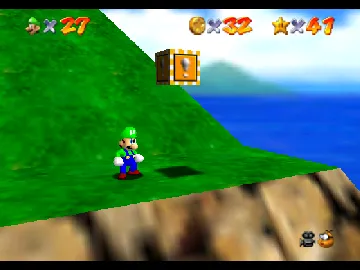
The game loads when you press Play · press “Play Now” inside the game if it asks.
Super Luigi 64 - Definitive Edition
Super Luigi 64 - Definitive Edition
About Super Luigi 64 - Definitive Edition
- Nintendo 64
- Platformer
- ROM Hack
- 5· 0 votes
Unofficial ROM hack. The notes below come from community sources and have not been verified against the patch itself, so levels, mechanics and features may differ from what is described.
Due to its nature as a fan modification, Super Luigi 64 was not commercially released or reviewed by mainstream gaming media. However, titles like this generally receive mixed to positive feedback within their niche communities for creativity and homage. Nintendo 64 platformers of the era were celebrated for their pioneering 3D gameplay and exploration, and fan projects like this aim to extend that legacy by offering new challenges and perspectives. The game's cultural footprint is mostly limited to dedicated retro and ROM hack circles rather than the wider gaming audience.
Retro gamers continue to discuss Super Luigi 64 - Definitive Edition for its unique position as a tribute to one of Nintendo 64's most beloved games. While it does not hold the same status as official releases, it contributes to the vibrant fan-driven preservation and reinterpretation scene. Within the broader Nintendo 64 library, it represents the ongoing enthusiasm for revisiting and reimagining classic platformers in new ways, highlighting the enduring appeal of 3D platforming on the system.
GAME INFO
- Platform
- Nintendo 64
- Genre
- Platformer
- Version
- Definitive Edition
- Based on
- Super Mario 64
More Super Mario Games
Ready for another round? Explore more Super Mario games and console editions. Choose a game below to play it on its own page.
How to play Super Luigi 64 - Definitive Edition online
CONTROLS
Controls
- Arrow Keys — D-Pad / Movement
- X — A button
- S — B button
- Z — Z trigger
- A — C-Down
- Q — L shoulder
- E — R shoulder
- Enter — Start
Super Luigi 64 - Definitive Edition FAQ
Who developed Super Luigi 64 - Definitive Edition?
This title is a fan-made ROM hack, so it was created by members of the retro gaming community rather than an official developer. Specific individuals or teams behind the hack are not widely documented.
Roughly how long does it take to finish Super Luigi 64 - Definitive Edition?
The completion time can vary widely depending on player skill and familiarity with the base game. Typically, finishing a full playthrough of a Nintendo 64 platformer hack like this might take around 10 to 20 hours.
Does Super Luigi 64 - Definitive Edition have a multiplayer or co-op mode?
No official multiplayer or cooperative modes are included, as the original Super Mario 64 was a single-player experience. This fan hack maintains that single-player focus.
You may also like
All Nintendo 64 games











GAME INFO
- Platform
- Nintendo 64
- Genre
- Platformer
- Version
- Definitive Edition
- Based on
- Super Mario 64
COMMENTS (0)
No comments yet. Be the first to share your thoughts.