CHOOSE A VERSION
3 versions · same consoleChoose an original release, regional version, revision, bootleg or clearly labelled ROM hack/mod, then press Play. Hacks may change the gameplay. Switching versions restarts the player.
Selected: Default · USA · USA
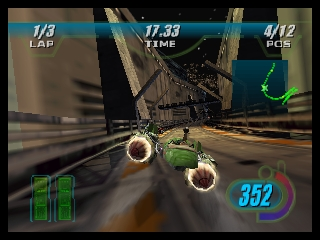
The game loads when you press Play · press “Play Now” inside the game if it asks.
Star Wars Episode I - Racer (USA)
Star Wars Episode I - Racer
About Star Wars Episode I - Racer
- Nintendo 64
- Racing
- 5· 0 votes
GAME INFO
- Platform
- Nintendo 64
- Genre
- Racing
- Released
- 1999
- Players
- 1-2
- Region
- USA
More Star Wars Episode Games
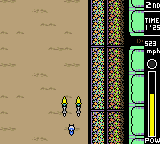
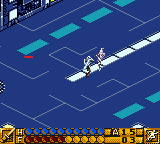
Ready for another round? Explore more Star Wars Episode games and console editions. Choose a game below to play it on its own page.

How to play Star Wars Episode I - Racer online
CONTROLS
Controls
- Arrow Keys — D-Pad / Movement
- X — A button
- S — B button
- Z — Z trigger
- A — C-Down
- Q — L shoulder
- E — R shoulder
- Enter — Start
Star Wars Episode I - Racer FAQ
Is Star Wars Episode I - Racer an official release, a fan hack, a prototype, or another kind of build?
This game is an official release developed by LucasArts for the Nintendo 64, based on the Star Wars franchise. It was released in 1999 as part of the promotional efforts around the movie's launch.
Roughly how long does it take to finish Star Wars Episode I - Racer?
The time to finish the game can vary depending on player skill and whether they aim to complete all tracks and unlock all characters. Generally, players can expect to spend several hours to fully explore the game.
In what year was Star Wars Episode I - Racer originally released?
Star Wars Episode I - Racer was originally released in 1999. This release coincided with the launch of the movie Star Wars: Episode I – The Phantom Menace.
You may also like
All Nintendo 64 games











GAME INFO
- Platform
- Nintendo 64
- Genre
- Racing
- Released
- 1999
- Players
- 1-2
- Region
- USA
COMMENTS (0)
No comments yet. Be the first to share your thoughts.