CHOOSE A VERSION
2 versions · same consoleChoose an original release, regional version, revision, bootleg or clearly labelled ROM hack/mod, then press Play. Hacks may change the gameplay. Switching versions restarts the player.
Selected: Default · USA
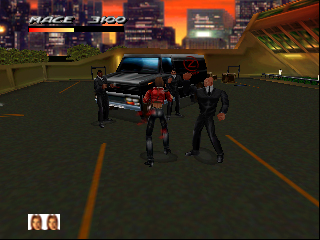
The game loads when you press Play · press “Play Now” inside the game if it asks.
Fighting Force 64 (USA)
Fighting Force 64
Fighting Force 64 - Action Classic
- Nintendo 64
- Action
- 5· 0 votes
GAME INFO
- Platform
- Nintendo 64
- Genre
- Action
- Publisher
- Eidos Interactive
- Developer
- Core Design
- Released
- 1997
More Fighting Force Games
Ready for another round? Explore more Fighting Force games and console editions. Choose a game below to play it on its own page.
How to play Fighting Force 64 online
CONTROLS
Controls
- Arrow Keys — D-Pad / Movement
- X — A button
- S — B button
- Z — Z trigger
- A — C-Down
- Q — L shoulder
- E — R shoulder
- Enter — Start
Fighting Force 64 FAQ
Who developed Fighting Force 64?
Core Design developed Fighting Force 64, bringing their experience from the original Fighting Force to the Nintendo 64 platform.
What makes Fighting Force 64 stand out among Nintendo 64 titles of its era?
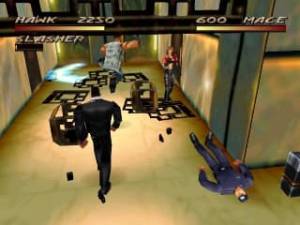
The game stands out for its cooperative gameplay, allowing two players to team up against waves of enemies, a feature not as common on the N64.
What type of game is Fighting Force 64?
Fighting Force 64 is an action beat 'em up game, where players battle enemies using a variety of combat moves and environmental items.
You may also like
All Nintendo 64 games











GAME INFO
- Platform
- Nintendo 64
- Genre
- Action
- Publisher
- Eidos Interactive
- Developer
- Core Design
- Released
- 1997
COMMENTS (0)
No comments yet. Be the first to share your thoughts.