The game loads when you press Play · press “Play Now” inside the game if it asks.
Hyper Sports 1
Hyper Sports 1
Getting to Know Hyper Sports 1
GAME INFO
More Hyper Sports Games
Ready for another round? Explore more Hyper Sports games and console editions. Choose a game below to play it on its own page.


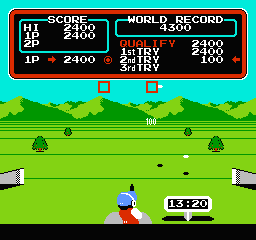
How to play Hyper Sports 1 online
CONTROLS
Controls
- Arrow Keys: D-Pad / Movement
- X: Trigger 1
- S: Trigger 2
- Enter: Start
Hyper Sports 1 FAQ
What makes Hyper Sports 1 stand out among MSX 1 titles of its era?
Its direct arcade conversion with responsive controls and multiple events made it one of the few sports compilations on the MSX. The fast-paced button mashing and timing challenges offered a unique arcade experience at home, setting it apart from slower strategy or adventure games.
Is Hyper Sports 1 exclusive to MSX 1 or did it appear on other systems?
Hyper Sports 1 originated in arcades and later appeared on several home platforms including the MSX, NES, and various home computers. The MSX version is one of several ports, but it was a faithful adaptation for the system.
Is there anything iconic or memorable about Hyper Sports 1?
The game is remembered for its energetic music and the repetitive yet addictive button pressing required for running events. Its simple graphics and straightforward challenge capture the spirit of early Olympic-style gaming, making it a nostalgic title for MSX collectors.












COMMENTS (0)
No comments yet. Be the first to share your thoughts.