The game loads when you press Play · press “Play Now” inside the game if it asks.
Famista 3 (Japan)
Famista 3
Getting to Know Famista 3
Famista 3 is a sports video game released exclusively in Japan for the Game Boy. Developed by Kōei, this title is part of the Famista series, which focuses on baseball simulation. It came out during the early 1990s, a time when handheld gaming was gaining traction, and sports titles were becoming increasingly popular on portable systems.
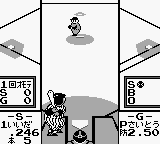
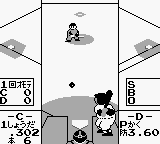
In Famista 3, players engage in baseball matches where they can choose teams and compete against AI opponents or friends. The game allows for various gameplay modes, including exhibition matches and tournaments. Players can expect to manage their teams, pitch, bat, and field, emphasizing strategic play and timing, which are critical for success in baseball games of this era.
This title is worth trying for fans of retro sports games or those interested in baseball simulations. While it may not have the depth of modern titles, Famista 3 captures the essence of baseball with simple yet enjoyable mechanics. Given its niche appeal and Japanese exclusivity, it provides a glimpse into the gaming culture of the time and is a fun addition for collectors or anyone looking to explore classic handheld gaming experiences.
GAME INFO
More Famista Games
Ready for another round? Explore more Famista games and console editions. Choose a game below to play it on its own page.
How to play Famista 3 online
Getting started with Famista 3 involves selecting your preferred game mode from the main menu, which is in Japanese. If you're new to the game, you might want to try an exhibition match first. This allows you to familiarize yourself with the controls and gameplay mechanics without the pressure of a tournament.
The core loop revolves around playing through matches, where you'll pitch, hit, and field to outscore your opponent. Timing is crucial, especially when batting and pitching, so practice is essential. As you get accustomed to the mechanics, you can explore different teams and strategies to enhance your gameplay experience. Keep in mind that understanding the menus may require some patience, as they are not localized for English speakers.
CONTROLS
Controls
- Arrow Keys — D-Pad / Movement
- X — A button (jump / confirm)
- S — B button (run / attack / cancel)
- Enter — Start / Pause
- V — Select
Famista 3 FAQ
Who developed Famista 3?
The game was developed by Kōei, a company known for its sports simulation titles during the era.
Can players save progress in Famista 3?
The game does not have a save feature, meaning players will need to complete matches in one sitting.
Is Famista 3 exclusive to Game Boy or did it appear on other systems?
Famista 3 was released exclusively for the Game Boy and did not appear on other systems.












COMMENTS (0)
No comments yet. Be the first to share your thoughts.