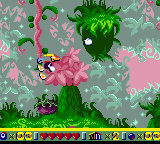
Rayman (Europe) (En,Fr,De,Es,It,Nl)
About Rayman (Europe) (En,Fr,De,Es,It,Nl)
Controls
- Arrow Keys = D-Pad
- X = A button (jump/confirm)
- S = B button (run/attack/cancel)
- Z = Y button
- A = X button
- Q = L shoulder
- E = R shoulder
- Enter = Start
- V = Select
How to Play Rayman (Europe) (En,Fr,De,Es,It,Nl) Online
Getting Started: On the title screen, press Enter to start. You'll see a world map with levels; use the D-Pad to select a stage and press X to confirm. The core objective is to reach the end of each level by jumping over obstacles, avoiding or punching enemies, and collecting the glowing yellow Lums. You can punch forward with S (B button) to defeat enemies that get too close.
New players should take their time exploring each level. Hidden cages contain Electoons that are needed to progress. If you touch an enemy or fall into a pit, you lose a life, but you can continue from the last checkpoint. The challenge ramps up as the game progresses, so practice your jumps and learn enemy patterns. There are no continues, so try to build up extra lives by collecting Lums every 100.
Rayman (Europe) (En,Fr,De,Es,It,Nl) Keyboard Controls
Controls
- Arrow Keys: D-Pad / Movement
- X: A button (jump / confirm)
- S: B button (run / attack / cancel)
- Enter: Start / Pause
- V: Select






Comments (0)